In the app
Step 1
Your property owners in the app
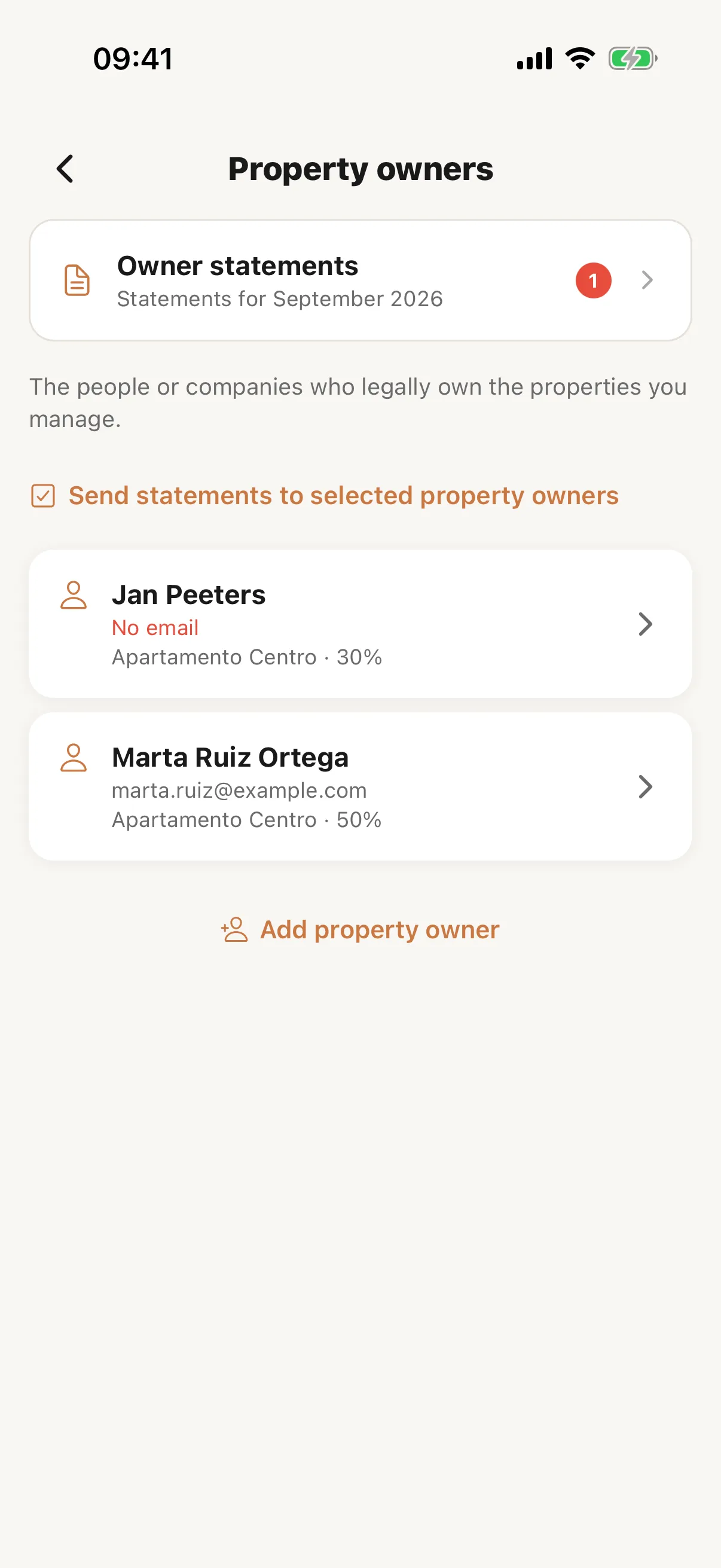
In the Casitana app’s Manager layout, open More and tap Property owners & statements. It lists your property owners with the properties they own. Tap one to change their name, email, language for statements or management commission, or tap Add property owner to add one. Their tax identity, address and IBAN, and deleting a property owner, stay on the website. To set who owns a property, open it and tap the Property owners row at the top: the shares, your own included, must total exactly 100%. A number on the tile counts last month’s statements that have not been sent yet.
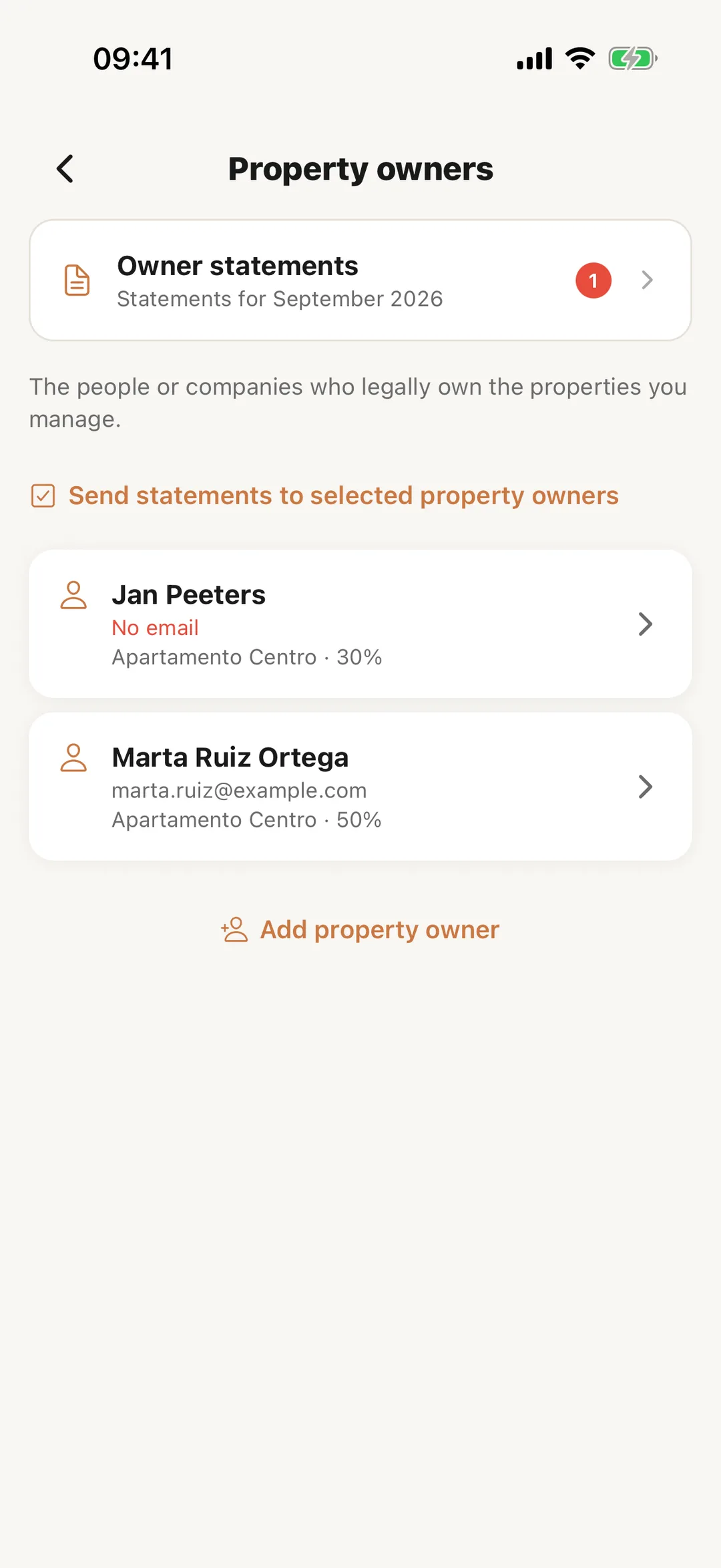 Enlarge screenshot
Step 2
Send statements from the app
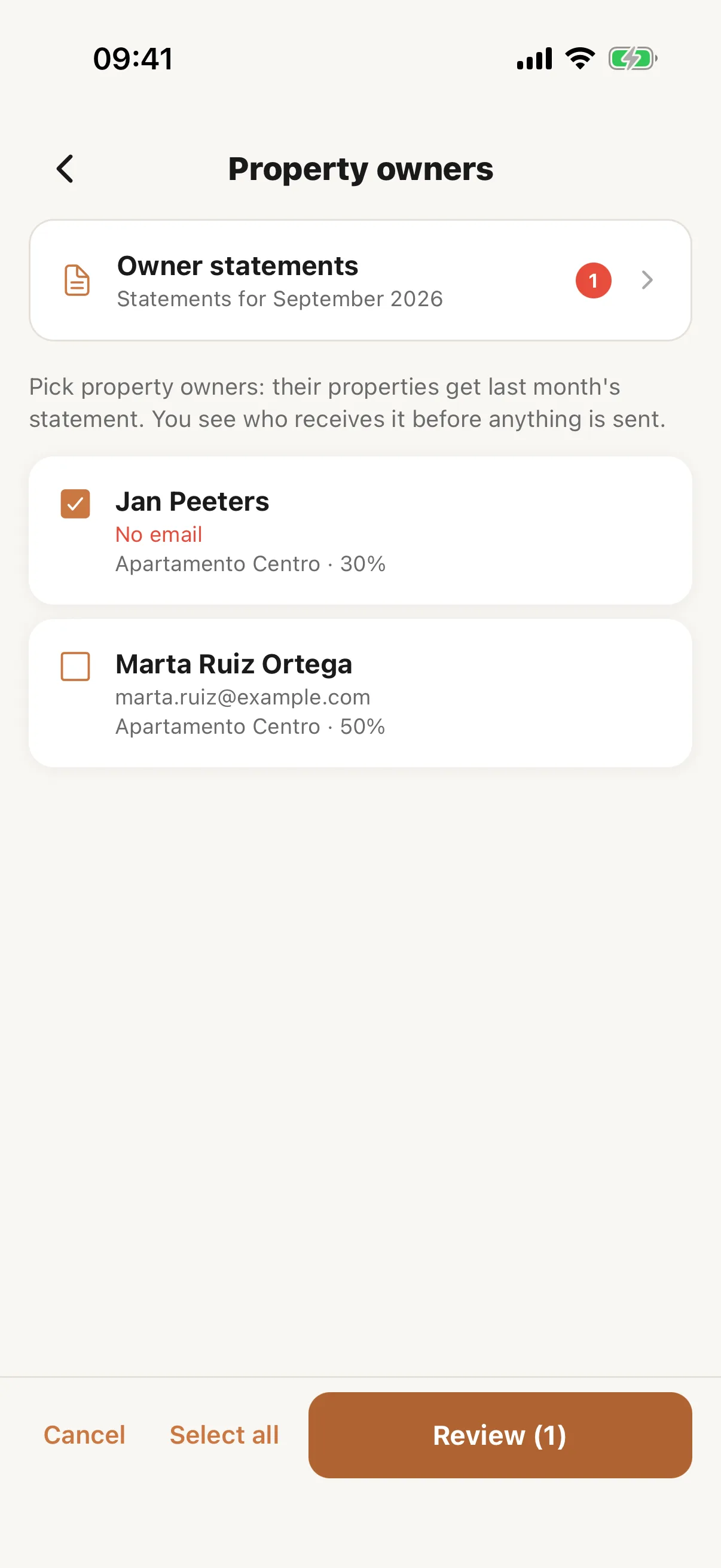
Tap Send statements to selected property owners, pick the property owners, then Review. Before anything goes out, the app lists what will be sent and to whom: co-owners of the same property receive it too, and statements already sent are skipped. Owner statements shows last month’s statement of each property, with its PDF: In the app.
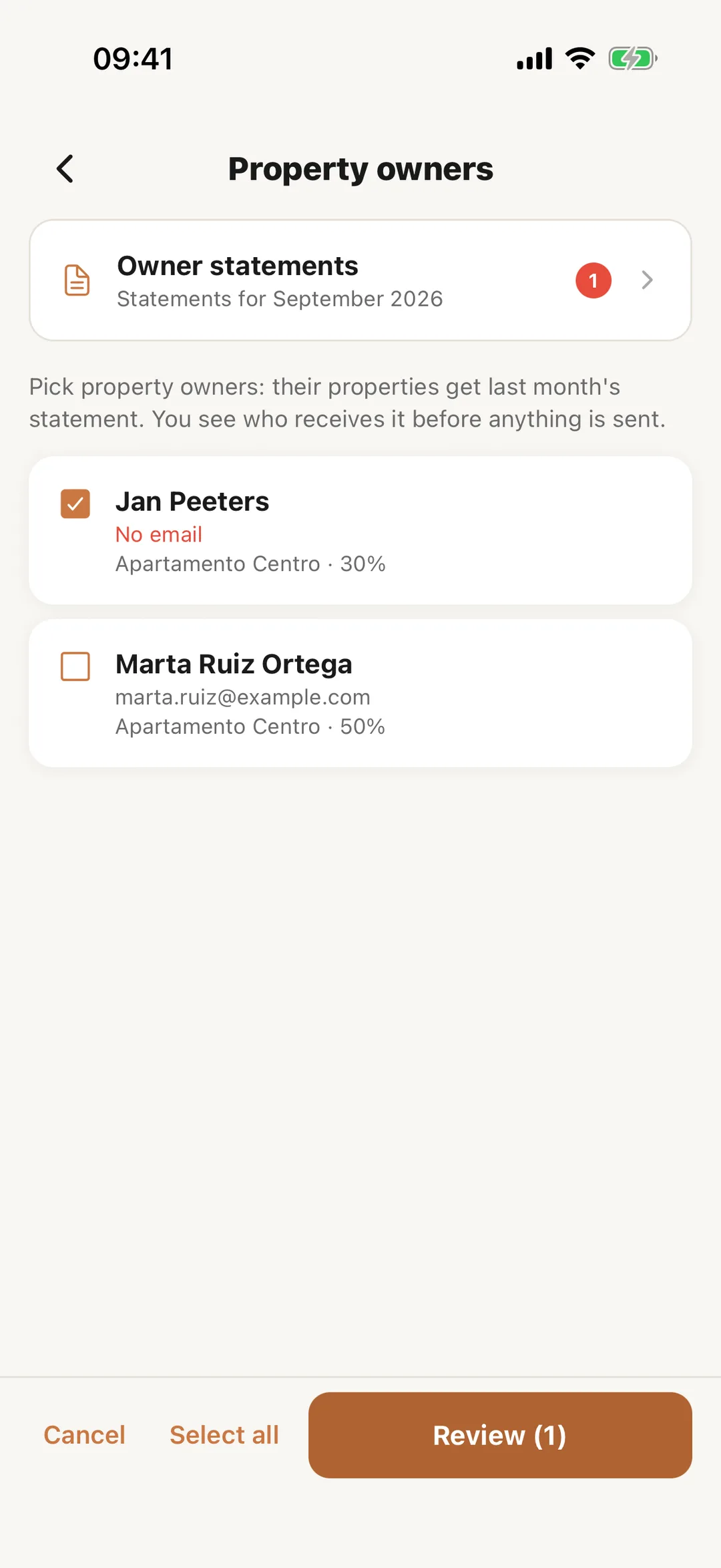 Enlarge screenshot