
Why this exists
Step 1
A legal obligation
The police form is not a Casitana rule. It is set by the French government, in the section of the French immigration code (CESEDA) on the fiche individuelle de police, articles R. 814-1 to R. 814-3. You can read the section on Légifrance (opens in a new tab), the official site for French law.
Step 2
What the articles say
These are the three articles, quoted in French as they stand in the code, as amended by Decree no. 2020-1734 of 16 December 2020. The official text is on Légifrance (opens in a new tab). In short: every guest who is not a French national fills in and signs the form on arrival, the form holds the details R. 814-2 lists, and you keep the forms for six months and hand them to the police or the gendarmerie when they ask.
Article Text, in French R. 814-1 Aux fins de prévention des troubles à l'ordre public, d'enquêtes judiciaires et de recherche dans l'intérêt des personnes, les hôteliers, les exploitants de villages et maisons familiales de vacances, de résidences et villages résidentiels de tourisme, les loueurs de meublés de tourisme et de chambres d'hôtes, les exploitants de terrains de camping, caravanage et autres terrains aménagés sont tenus de remplir, ou faire remplir, et signer par l'étranger, dès son arrivée, une fiche individuelle de police, dont le modèle est fixé par arrêté conjoint du ministre de l'intérieur, du ministre chargé de l'immigration et du ministre chargé du tourisme. Les personnes physiques ou morales louant des locaux nus ne sont pas astreintes aux obligations prévues au présent article. R. 814-2 Les données personnelles collectées en application de l'article R. 814-1 sont notamment : 1° Le nom et les prénoms ; 2° La date et le lieu de naissance ; 3° La nationalité ; 4° Le domicile habituel de l'étranger ; 5° Le numéro de téléphone mobile et l'adresse électronique de l'étranger ; 6° La date d'arrivée au sein de l'établissement et la date de départ prévue. Les données relatives aux enfants âgés de moins de 15 ans peuvent figurer sur la fiche d'un adulte qui les accompagne. R. 814-3 Les fiches établies en application de l'article R. 814-1 doivent être conservées pendant une durée de six mois et remises, sur leur demande, aux services de police et unités de gendarmerie. Cette transmission peut s'effectuer sous forme dématérialisée. Step 3
What Casitana does, and what stays with you
Casitana collects the forms from your guests, keeps them for the time the law sets, deletes them afterwards and prepares the export for the police, so you can stay compliant without paper forms. Meeting the obligation for your properties remains your responsibility. This guide explains how Casitana works. It is not legal advice.
Step 4
More from official sources
The French data protection authority, the CNIL, explains that the form is lawful and that your guests must be told they can access and correct their details: CNIL (opens in a new tab). The French justice ministry’s public information site describes who must have the form filled in: justice.fr (opens in a new tab).
What it is
Step 5
Who needs a form
Article R. 814-1 of the French immigration code (CESEDA) asks a loueur de meublés de tourisme, someone who rents out furnished tourist accommodation, to have every guest who is not a French national fill in and sign a fiche individuelle de police on arrival. That includes citizens of other EU countries. Article R. 814-2 lists what the form holds, and article R. 814-3 says the forms are kept for six months and handed to the police or gendarmerie when they ask for them.
Step 6
French guests need no form
French nationals do not fill in a form, and neither does a guest who holds French nationality alongside another one. Casitana records nothing about them: the guest page asks whether each person is French, and for a French person it stops there. If everyone staying is French, the stay shows No form needed (French guests).
Step 7
What the form contains
The form holds what the law lists: last name and first names, date and place of birth, nationality, usual home address, mobile phone and email, the arrival date and the planned departure date. Children under 15 can appear on the form of the adult they travel with instead of on a form of their own. If you added a registration number to the property, it is printed on the form too.
France Compliance in your menu
Step 8
A property in France
France appears on its own as soon as one of your properties has France as its Country. The menu on the left then has a new item, France Compliance. To change a property's country, see Edit or delete a property.
Step 9
Show or hide a country
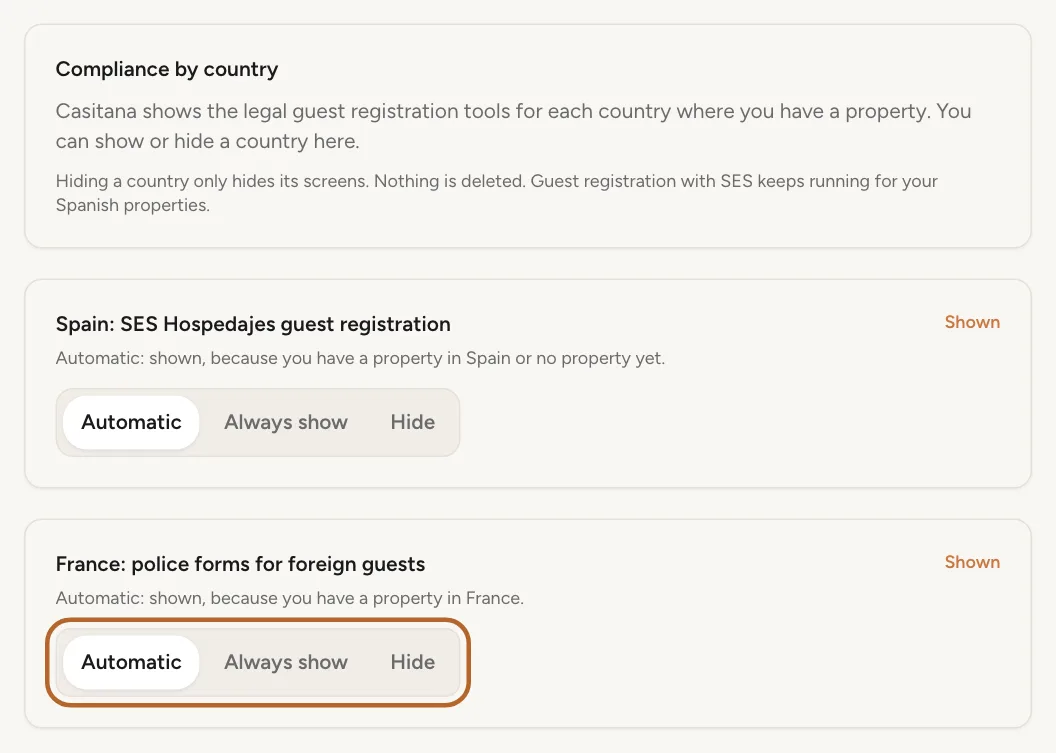
At the bottom of the menu on the left, click Settings. Under General, open Countries. For France, choose Automatic to follow your properties, Always show to see it even without a French property, or Hide to hide it.
 Enlarge screenshot
Good to know: Only the account holder can change this. Staff see the setting but cannot change it.
Step 10
Hiding deletes nothing
Hiding a country only hides its screens. While France is hidden, no police form link is emailed to your guests, but the signed forms are kept, and they are still deleted at the end of their six months. Hiding Spain does not stop guest registration with SES Hospedajes for your Spanish properties.
The registration number
Step 11
Add your registration number
When you declared the property at the town hall as a furnished tourist rental (déclaration en mairie), the town hall gave you a registration number. Open the property, click Edit Property, fill in Registration number (déclaration en mairie) under France: registration number, and click Save Changes. The number is printed on the forms you export.
Good to know: The number is optional. Until every French property has one, the France Compliance page reminds you which ones do not.
Send the form to your guests
Step 12
Sent automatically
When a booking at a French property has the guest's email address, when you create it or when you add the email later, Casitana emails the guest a link to the police form, at the same moment the SES form goes out for a stay in Spain. The link works for 30 days, or until two days after check-out if that is later.
Step 13
From the booking
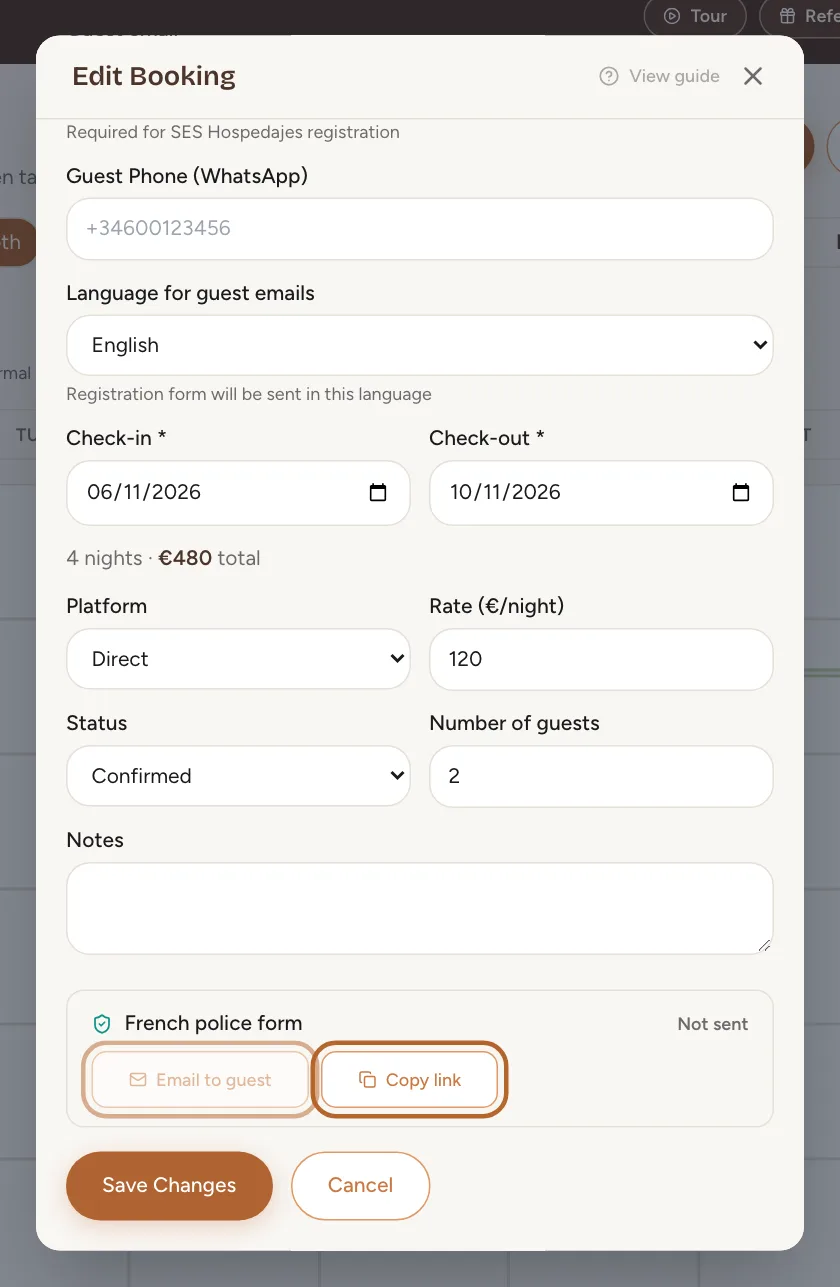
Open the booking and click Edit booking. The French police form panel shows where the form stands. Click Email to guest to email the link, or Email again if it was emailed before. Click Copy link to copy the link and share it another way, in a message for example.
 Enlarge screenshot
Good to know: The email button needs the guest's email address on the booking.
Step 14
From the France page
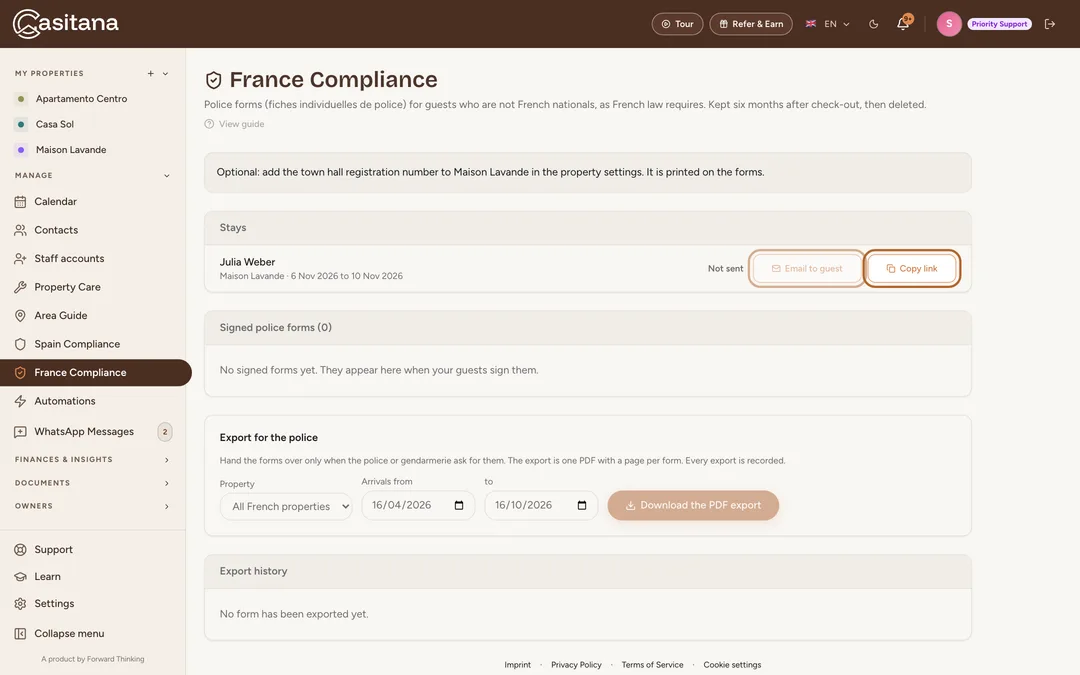
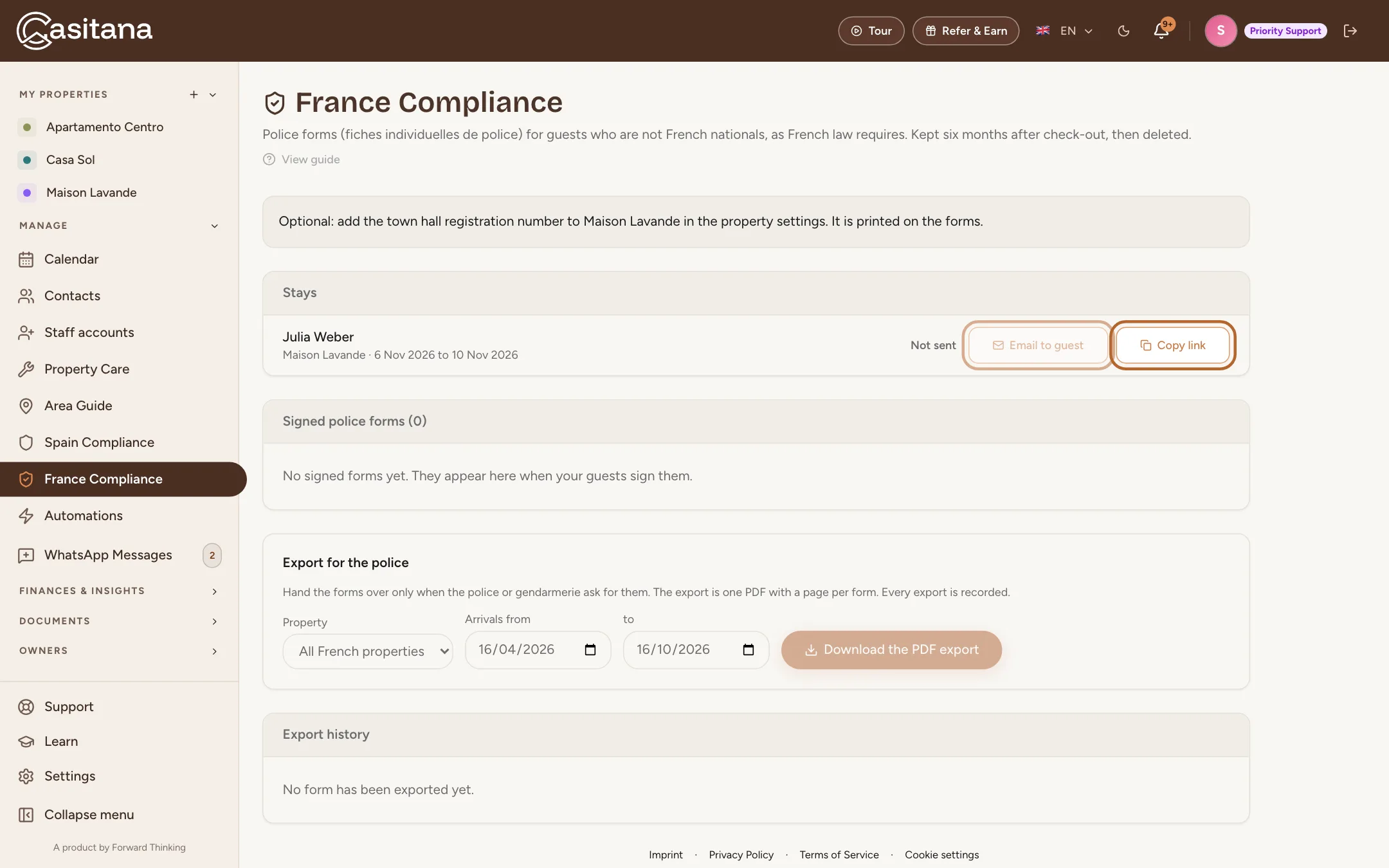
Click France Compliance in the menu on the left. Under Stays, every stay at your French properties from the last six months and the next six months has the same Email to guest and Copy link buttons.
 Enlarge screenshot
Step 15
Where each stay stands
Each stay shows Not sent, Link created, not emailed when you copied the link without emailing it, or Sent, waiting for the guest. Once your guests are done, it shows how many forms were signed, or No form needed (French guests). A cancelled stay shows Cancelled.
Through the registration link
Instead of sending each stay its own link, you can paste one link per property into your platform’s messages. Casitana then finds the booking for each form.
Step 16
One link for the property
With France turned on, the registration link of a French property opens the police form. Create it and paste it once into your platform’s automated messages, as in Create the link. The guest gives the name the booking is under, the dates of the stay, and a form for each guest who needs one; French adults only give their name.
Step 17
How Casitana finds the booking
Casitana adds the forms to a booking by itself only when the booking is on exactly the dates the guest entered, the lead guest’s last name does not contradict the name on the booking, the booking has no guest details yet and its own police form is not signed yet. Any other form waits for you, with the reason: see Registrations to check.
Step 18
Held for a few hours
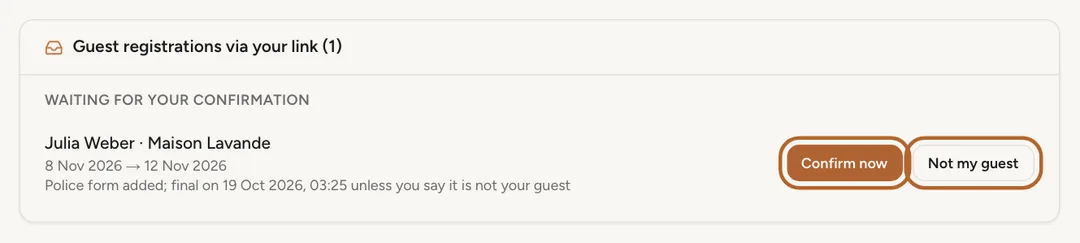
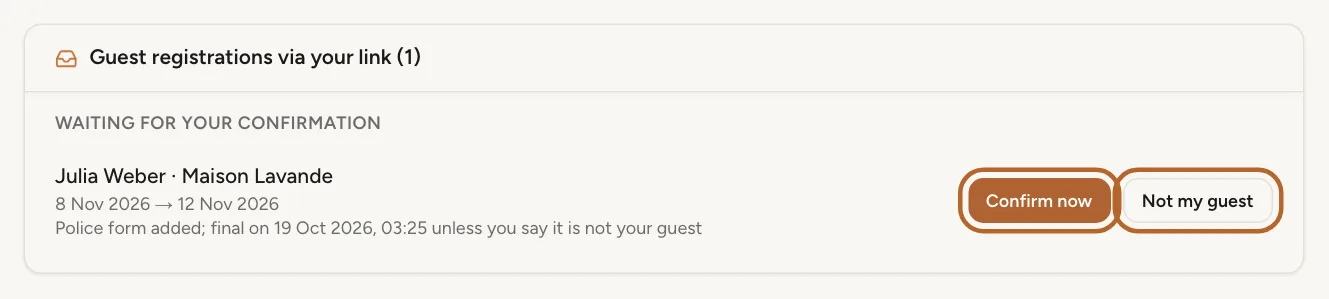
A form Casitana added by itself is held for up to 12 hours, and never past 24 hours before check-in. The card says when it becomes final, for example Police form added; final on 12 Nov, 21:30 unless you say it is not your guest. Click Confirm now to make it final now, or Not my guest to take the forms that came through the link off the booking and delete them. With check-in less than 24 hours away, there is no hold.
 Enlarge screenshot
Good to know: Not my guest never touches the stay’s own police form, and keeps the name on the booking if you changed it since.
Step 19
Where you see it
Held forms, and forms that wait for a booking, are on your dashboard under Guest registrations to check and on the property’s page, below the link. Casitana also lets you know in your notifications when it adds a form.
Step 20
Two sets of forms for one stay
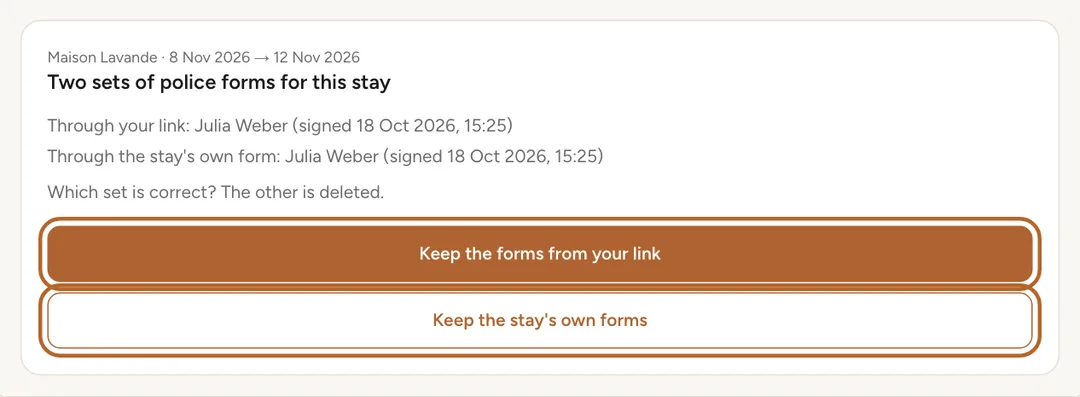
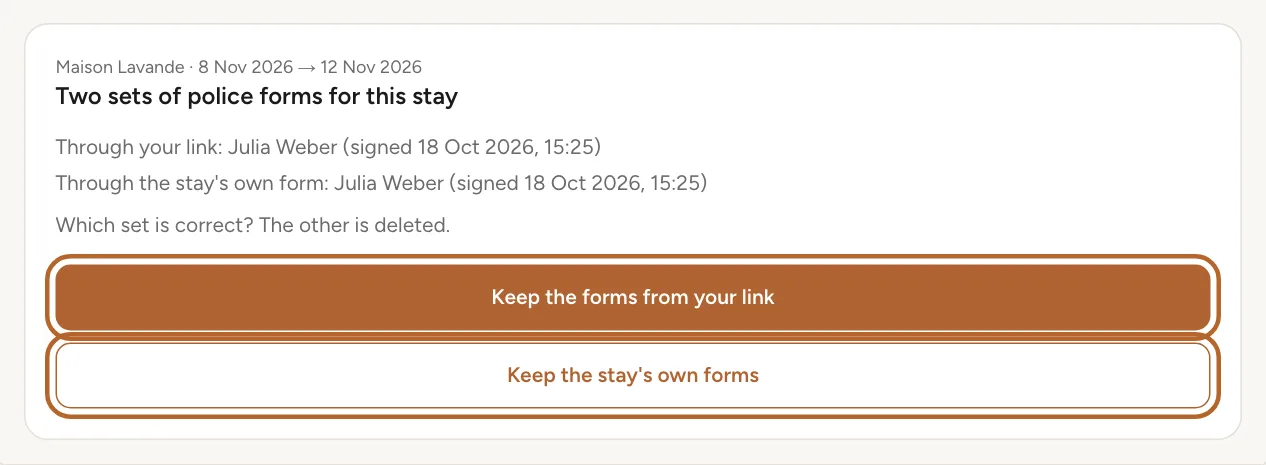
After a form comes through the link, the stay’s own police form stays open. If your guest fills in both, Casitana keeps both and asks Which set is correct? The other is deleted. The card shows who signed each set, and when. Click Keep the forms from your link or Keep the stay's own forms, then confirm.
Important: The set you do not keep is deleted and cannot be brought back.
 Enlarge screenshot
Tip: Casitana also tells you in your notifications: Maison Lavande: two sets of police forms, which is correct?.
What your guests do
Step 21
Who is staying
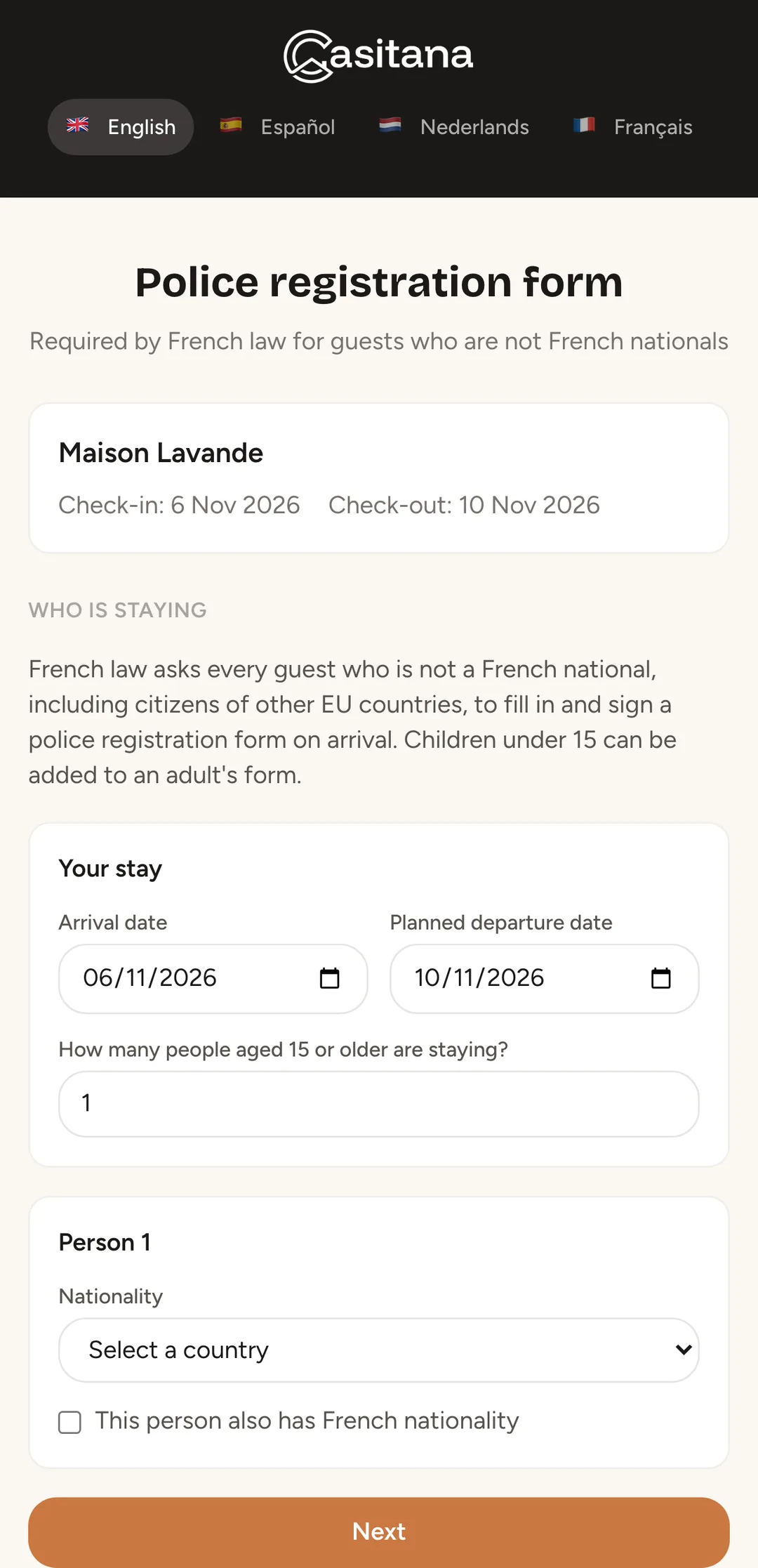
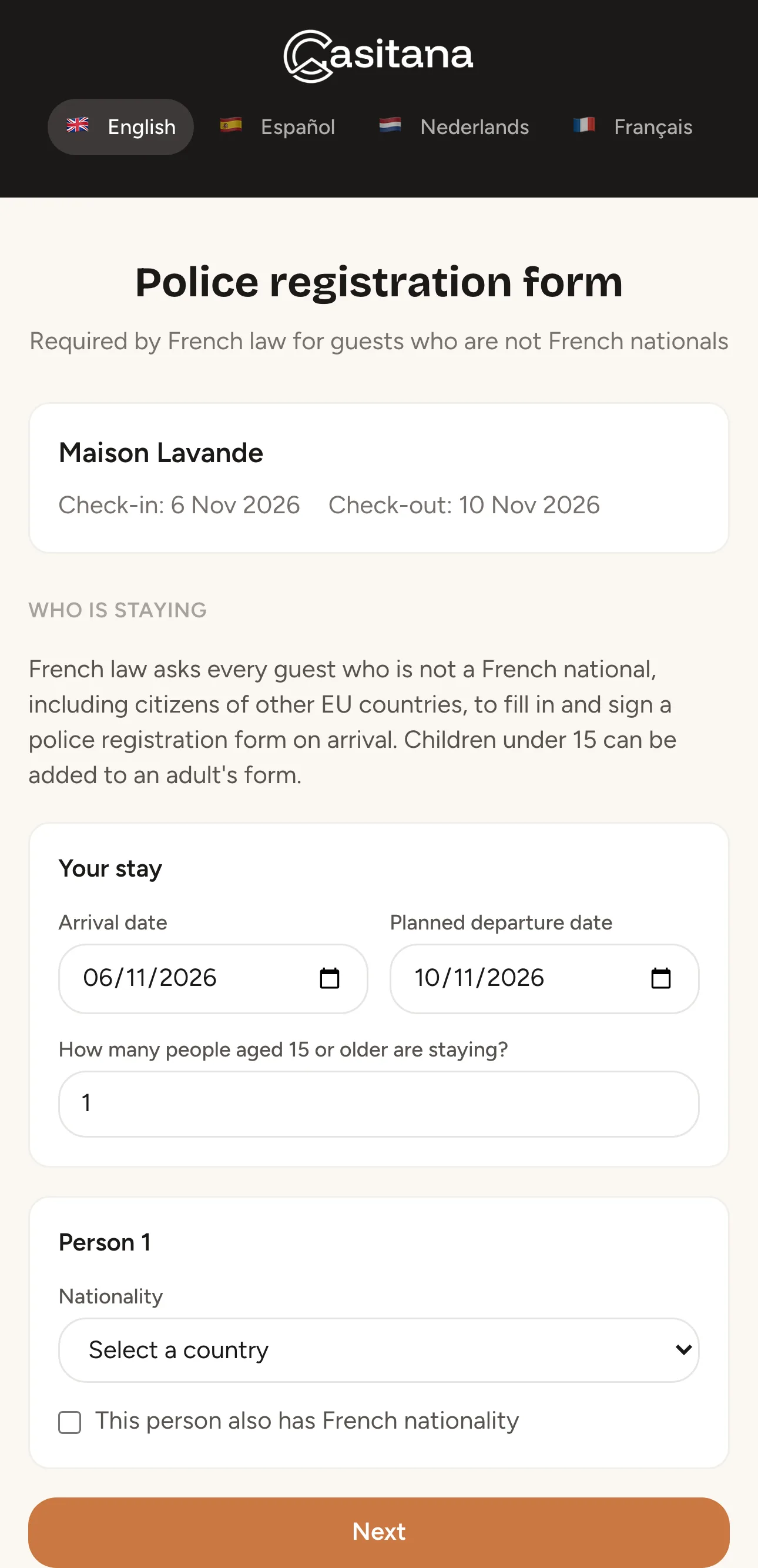
Your guest opens the link on a phone or a computer, and can switch the page to English, Spanish, Dutch or French. They check the dates of the stay and say how many people aged 15 or older are staying, with each person's nationality. A French national, including someone who also holds another nationality, needs no form, and the page records nothing about them.
 Enlarge screenshot
Step 22
One page per person
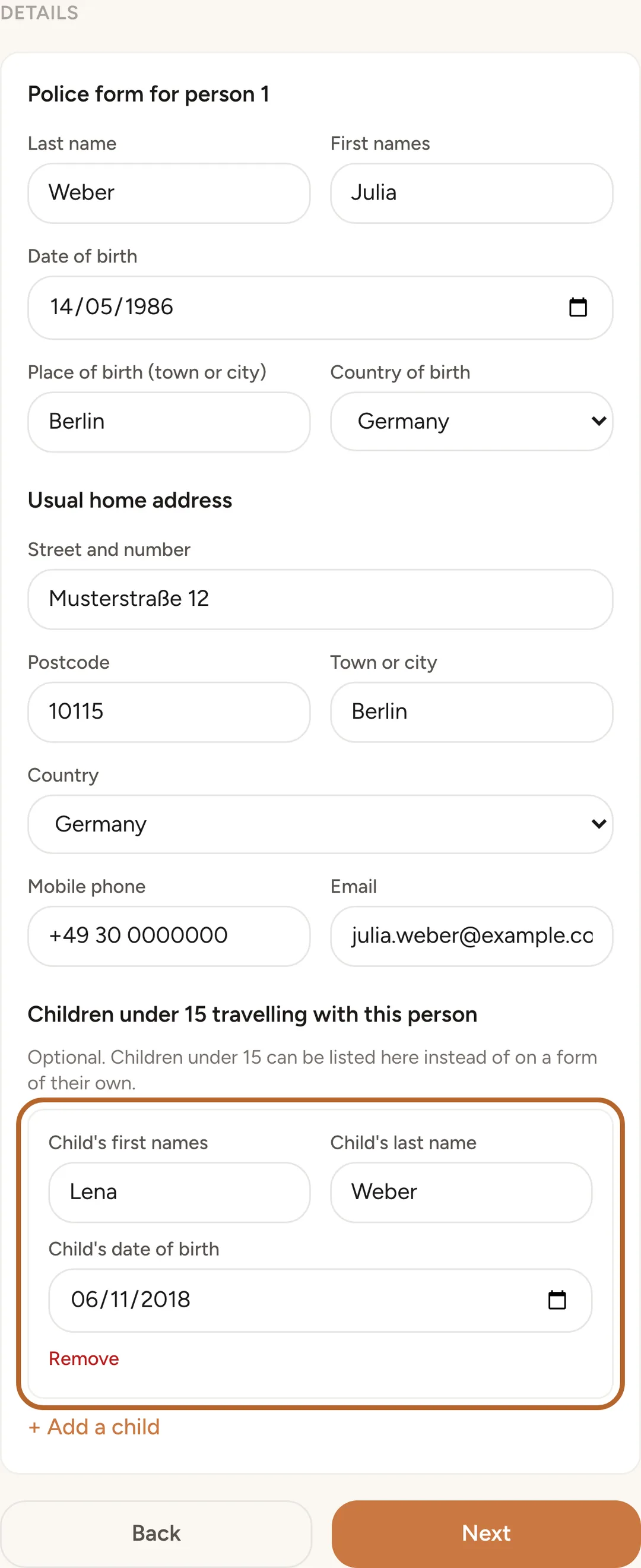
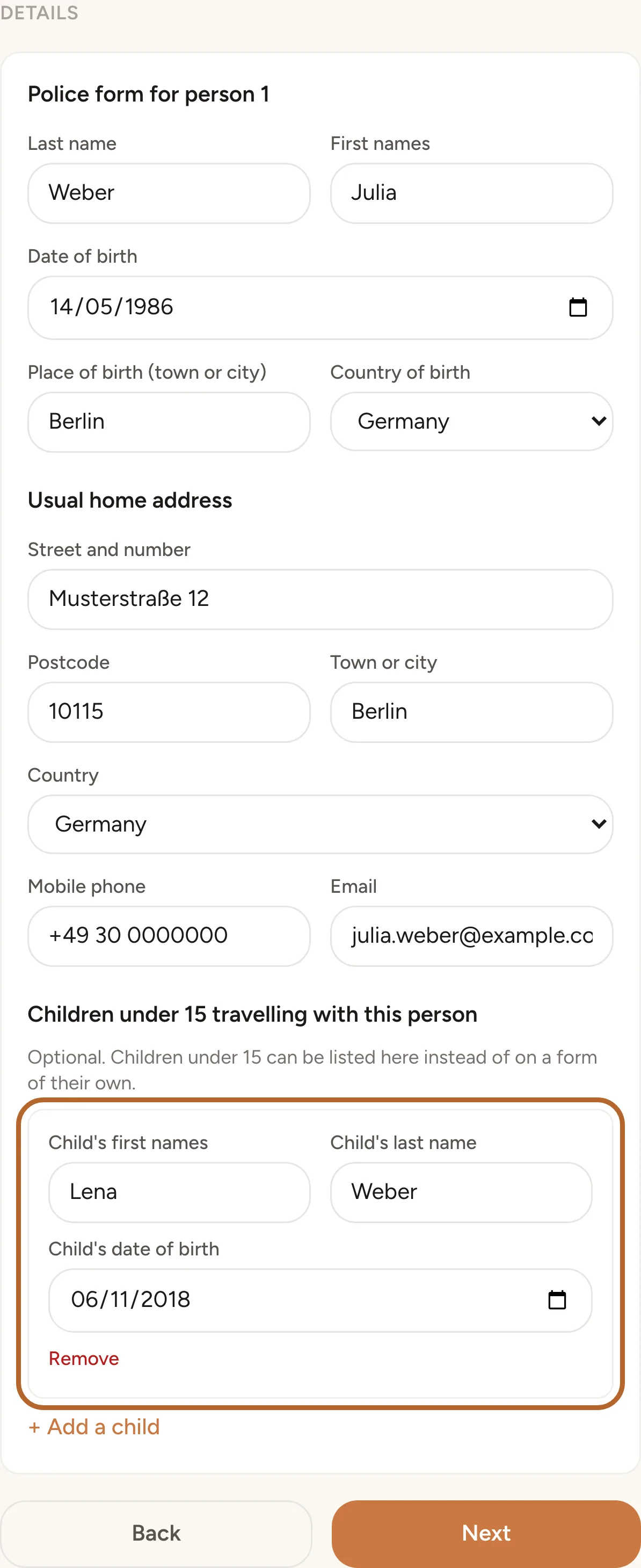
For each person who is not French, your guest fills in one page: last name, first names, date and place of birth, nationality, usual home address, mobile phone and email.
 Enlarge screenshot
Step 23
Children under 15
Children under 15 are listed on the page of the adult they travel with, with their names and date of birth, instead of on a form of their own. Someone aged 15 or older needs a page of their own. When everyone aged 15 or older in the group is French, there is no adult form to list a child on: the page then asks for each child who is not French, and an accompanying adult fills in that child's own form and signs it with their own name.
Step 24
The privacy notice
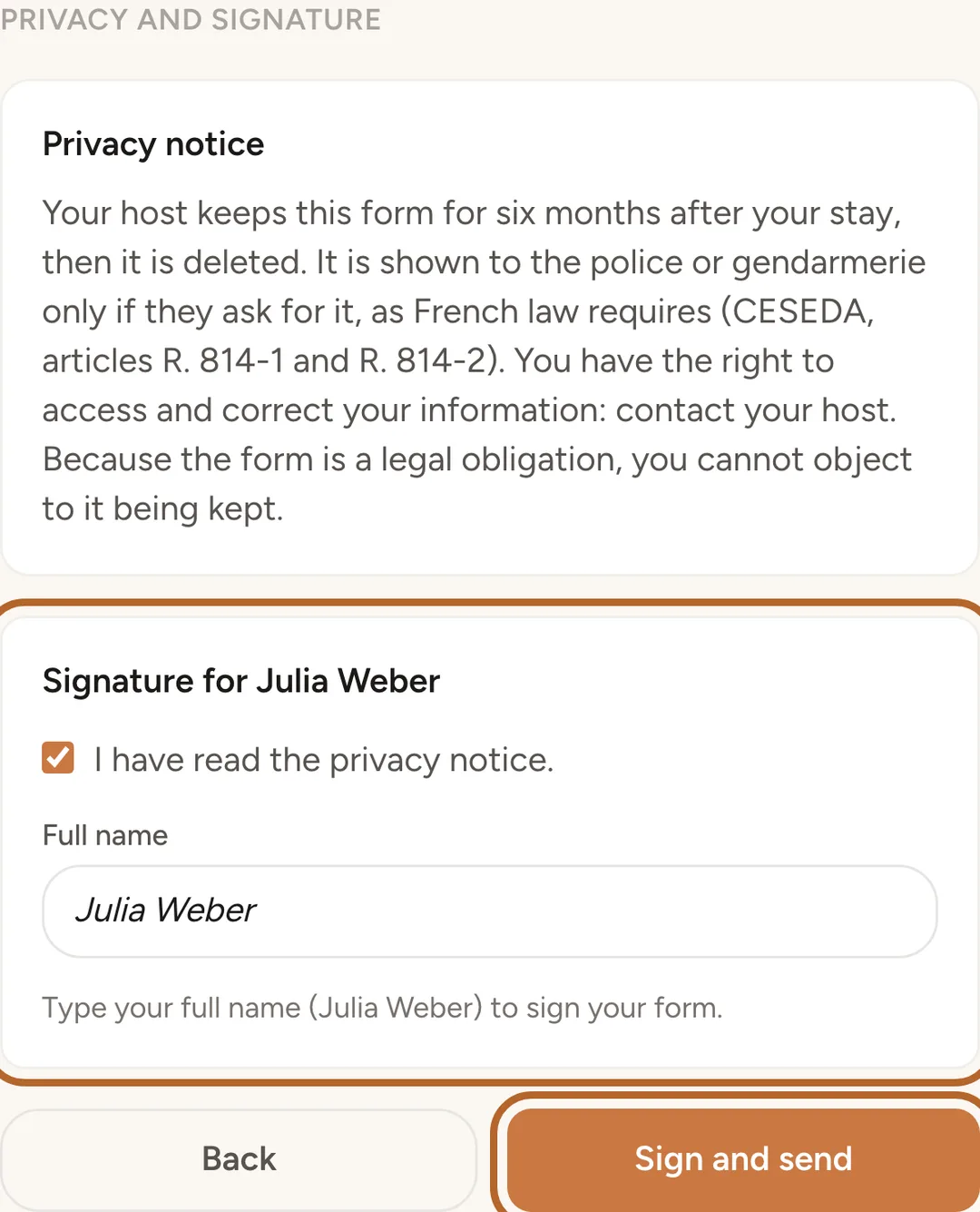
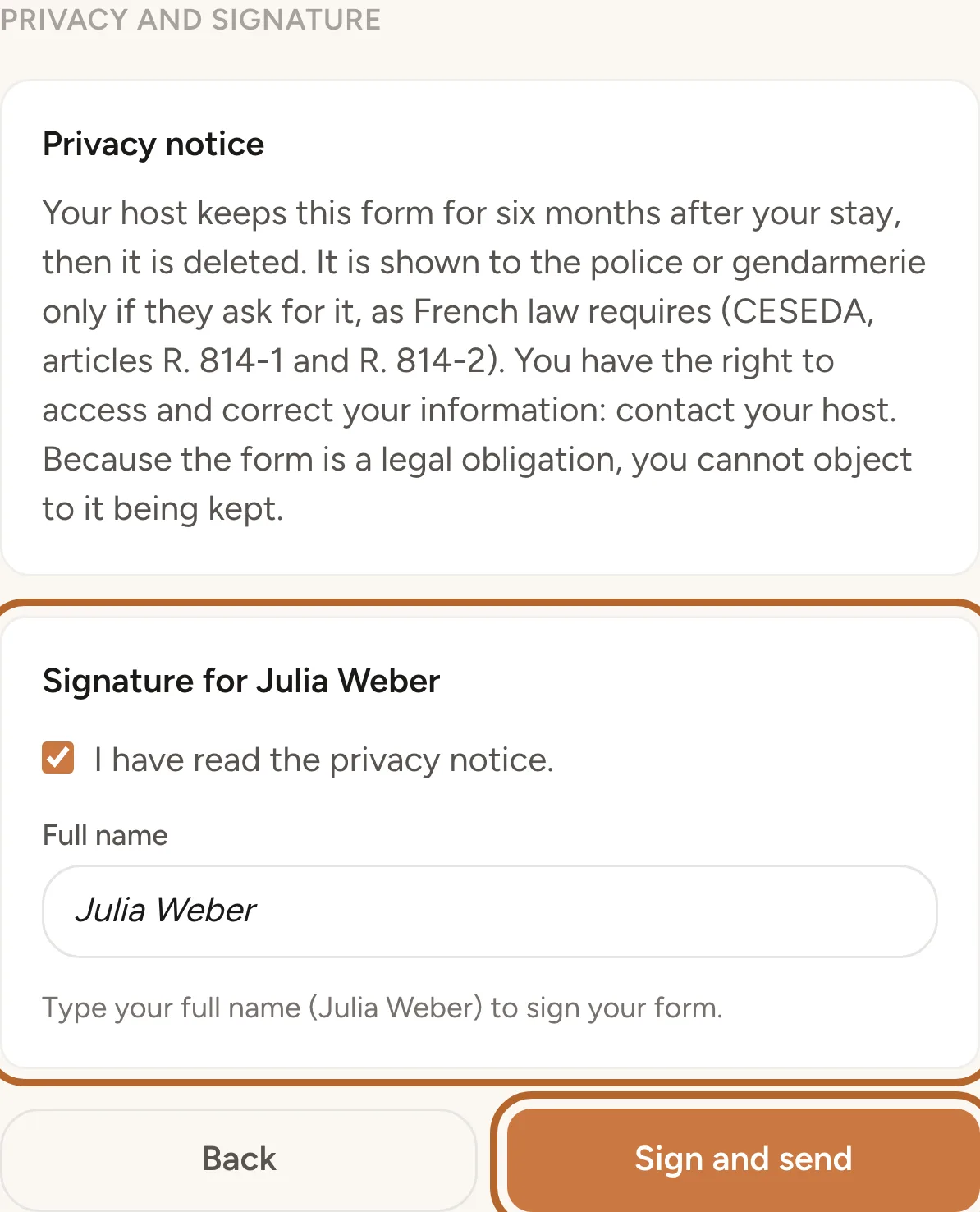
Before signing, your guest reads a privacy notice: the form is kept for six months after the stay and then deleted, it is shown to the police or gendarmerie only if they ask for it, and the guest can access and correct their information by contacting you. Because the form is a legal obligation, they cannot object to it being kept.
Step 25
Sign and send
Each person signs by typing their full name, which must match the names on their form, and your guest ticks the box to confirm they have read the privacy notice. Then they send the forms. Casitana does not store the guest's IP address. The stay then shows how many forms were signed.
 Enlarge screenshot
Signed forms
Step 26
The list of signed forms
On the France Compliance page, Signed police forms lists every form your guests signed: the person's name, the property, the dates of the stay, any children under 15 on the form, and the date after which the form is deleted. A child under 15 who has a form of their own reads Child under 15, signed by an accompanying adult. The list never shows what is on the form; that is only in the PDF.
 Enlarge screenshot
Step 27
Download one form
Click Download beside a form for its PDF. Each download is recorded in the export history.
Step 28
In Documents
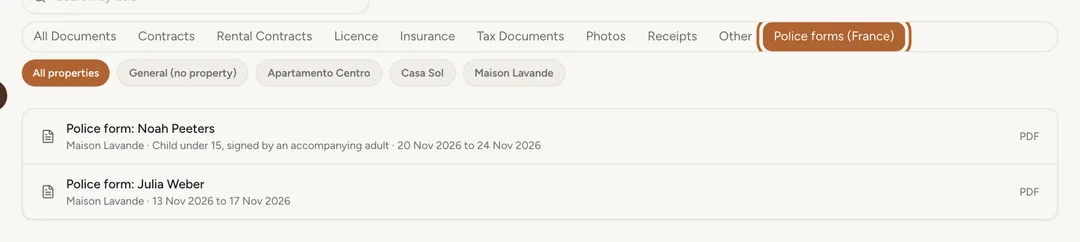
The signed forms also appear in Documents, under Police forms (France). Click one to open its PDF. They are not files you uploaded, so they cannot be renamed or deleted there: they go on their own at the end of their six months.
 Enlarge screenshot

When the police ask
Step 29
Only when they ask
You hand the forms over only when the police or gendarmerie ask for them. You do not send them anywhere yourself, and Casitana never does.
Step 30
Export the forms
On the France Compliance page, under Export for the police, choose one property or All French properties in the Property field, and set the first and last arrival dates the request covers under Arrivals from. Click Download the PDF export. You get one PDF with a page for each form.
 Enlarge screenshot
Step 31
Export history
Every export is recorded. The account holder sees them under Export history: when, how many forms, which property and dates, and who made it. Staff do not see the history.
 Enlarge screenshot


How long the forms are kept
Step 32
Six months after check-out
A signed form is kept for six months after check-out, then deleted automatically. If the check-out date changes, the deletion date moves with it. Each form in the list shows the date after which it is deleted.
Step 33
Cancelled stays
When a stay is cancelled, its forms are deleted at once.
Step 34
Your own copy
Click Settings, then Privacy & Data. Under Delete Account, Your French police forms appears while you hold signed forms. Click Download police forms (CSV) for a spreadsheet of them. Deleting your account erases the forms, and Casitana keeps no copy.
Plans
Step 35
Starter and above
Police forms for France are part of the Starter plan and above. On Free, the France Compliance page shows what the feature does, and no link is emailed to your guests. To change plan, see Choose a paid plan.
Step 36
If your plan changes
Moving to Free deletes nothing. The signed forms are kept and are still deleted at the end of their six months. Move back to Starter and you see them as before.