In the app
Step 1
Add a calendar feed in the app
Open a property from Properties. The Calendar sync card lists its platforms, each with Last synced. Tap Add feed, then Choose a platform (Airbnb, Booking.com, VRBO or Other). Under Paste calendar URL the app shows where that platform keeps its link; paste it in iCal URL and tap Add feed.
Step 2
Sync now or remove a feed
The circular arrow on a platform syncs it now. A red dot means the last sync failed. The account holder can remove a feed with the bin, after Remove feed?; bookings already imported stay.
Step 3
Blocked dates in Calendar
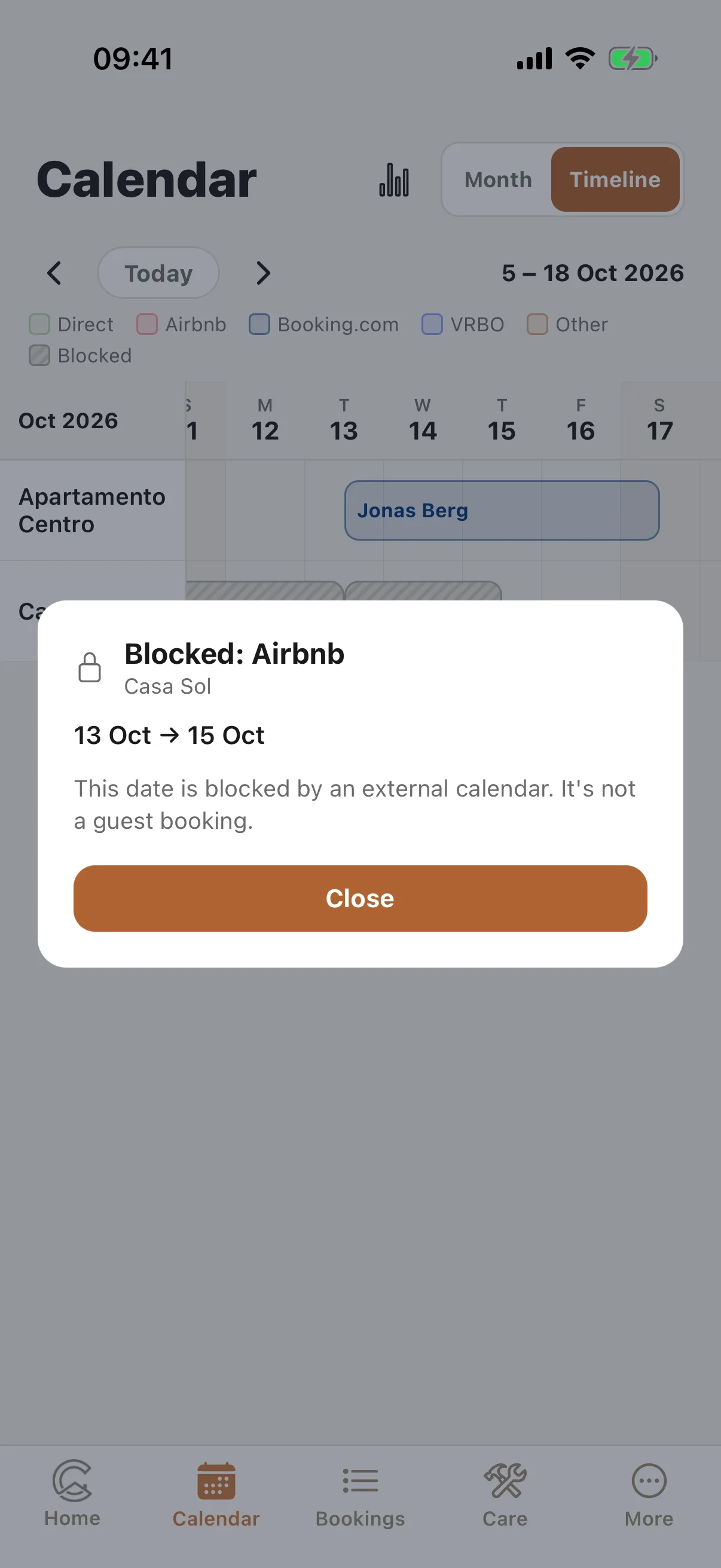
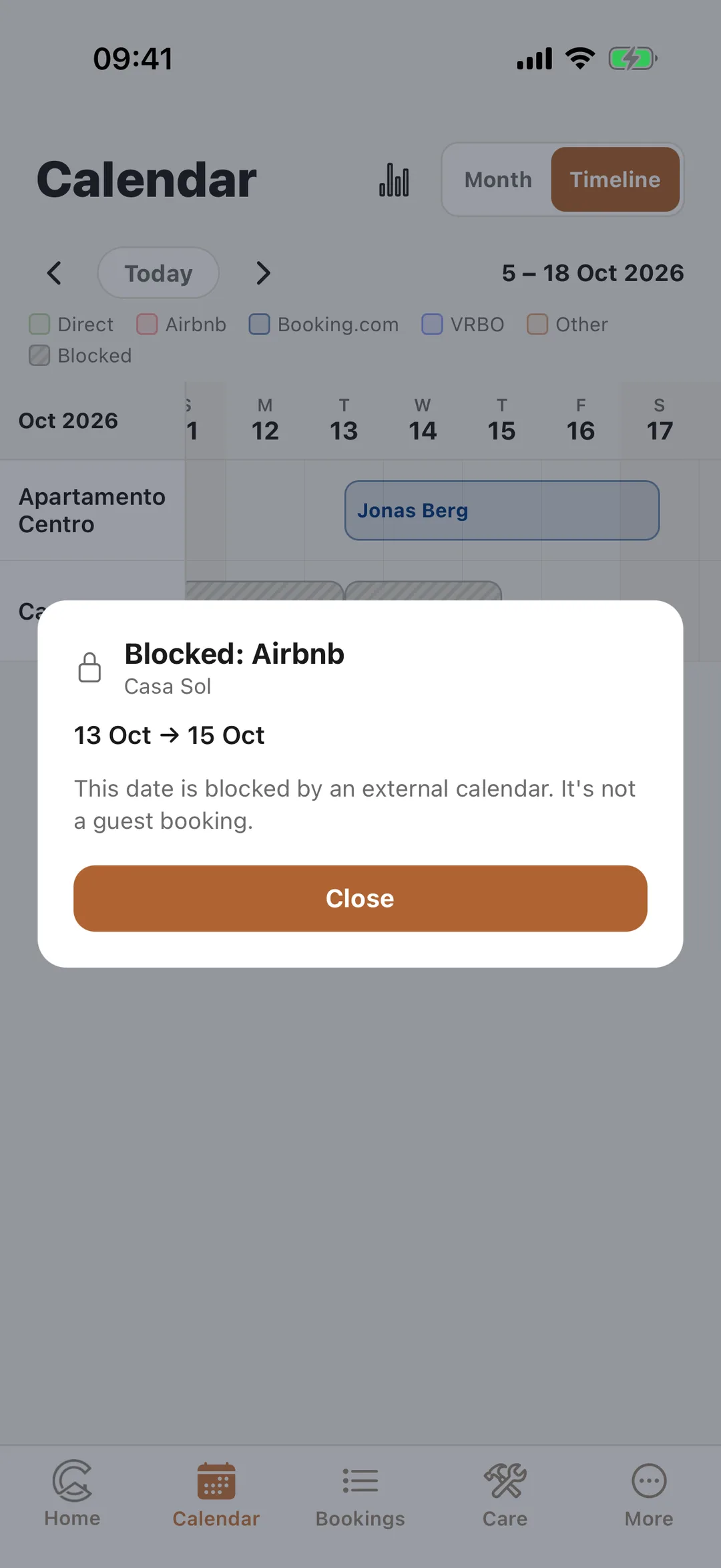
In Calendar, dates a platform blocked without a guest booking appear as Blocked: Airbnb, with the platform’s name. Tap one: the app explains that it is blocked by an external calendar, not a guest booking. If the dates are a guest’s stay after all, mark them as a booking on the website: Mark the dates as a booking. Dates you block yourself read Blocked in Casitana: The calendar: month view, timeline and blocked dates.
 Enlarge screenshot
Step 4
Export your calendar
On the property, the Export to other calendars card has your link: Copy or Share it and paste it in the platform. Anyone with the link sees booked dates, not guest names. Regenerate URL makes a new link; the old one stops working, so paste the new one everywhere.