In the app
Step 1
The Bookings tab
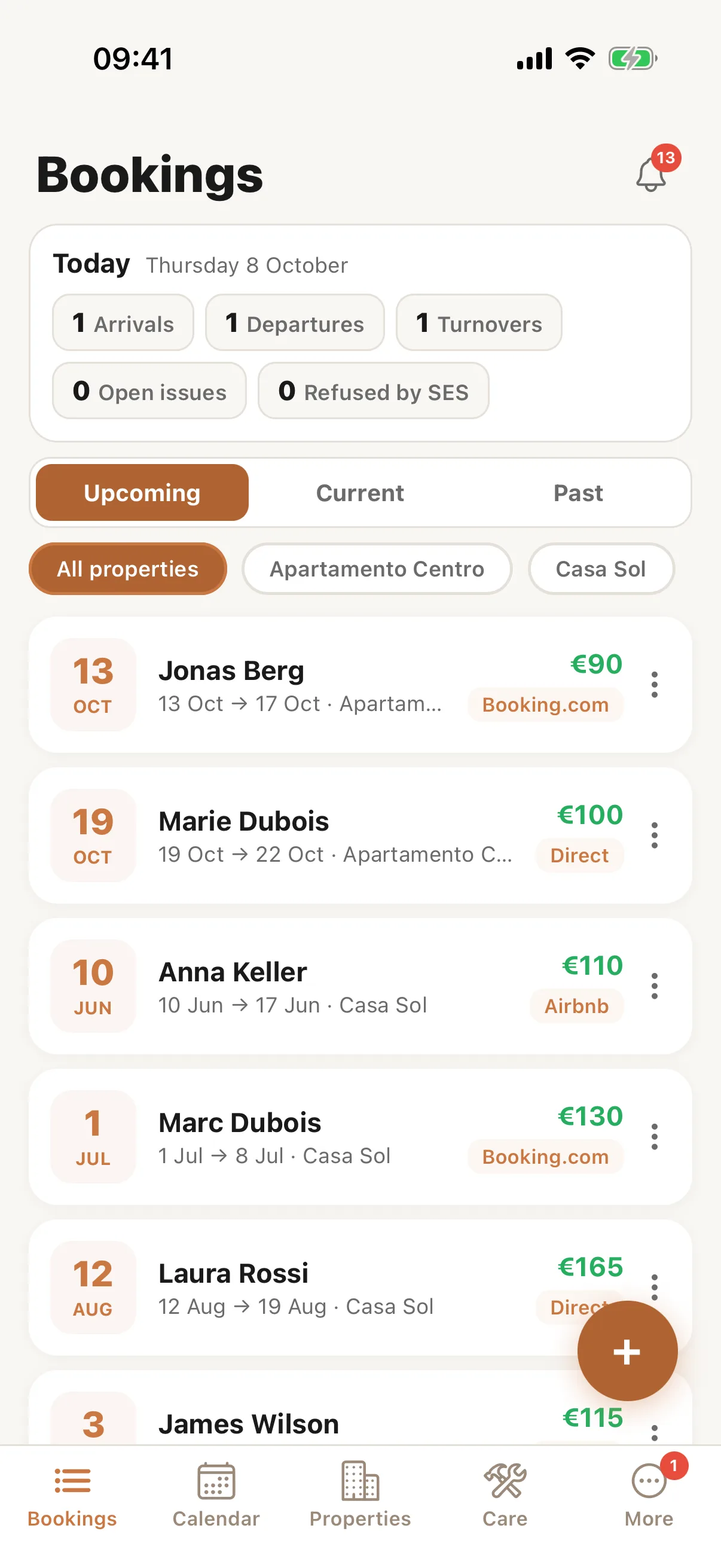
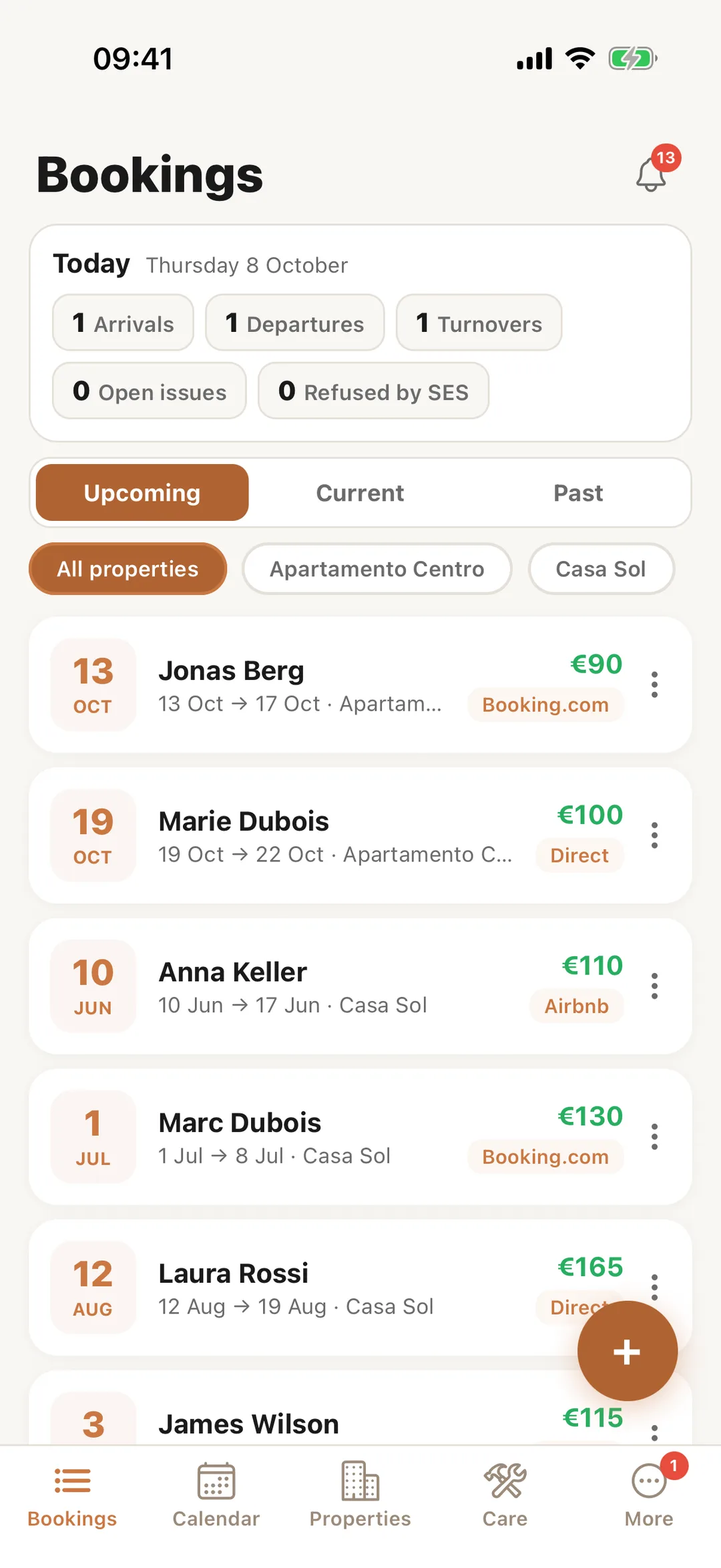
In the Casitana app, Bookings lists your stays under Upcoming, Current and Past, for all properties or one. At the top, Today counts the day’s arrivals, departures and changeovers; tap one to see who. The + button adds a booking.
 Enlarge screenshot
Step 2
Open a booking
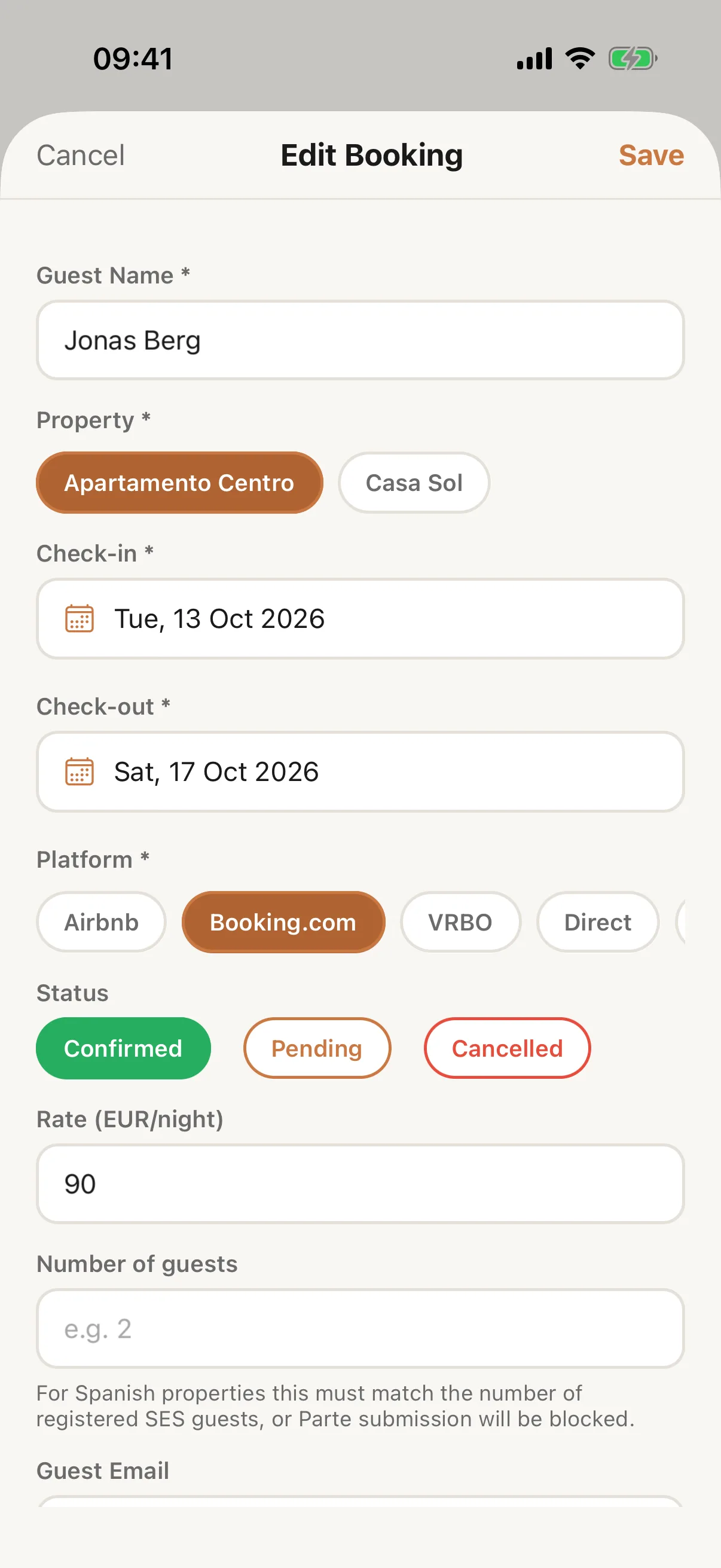
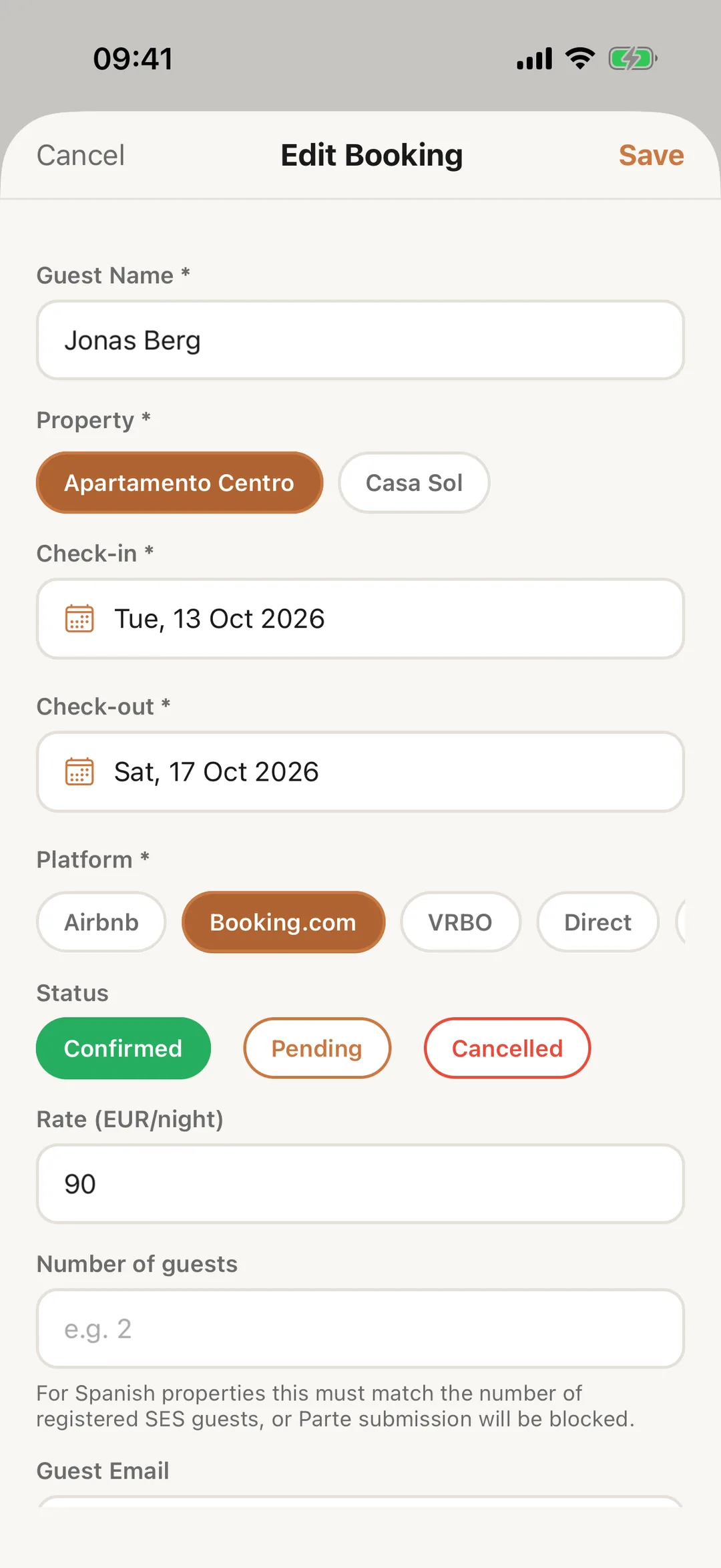
Tap a booking to see and change it: the guest, the property, the dates, the platform and the status. Tap Save when you are done.
 Enlarge screenshot
Step 3
Send guest info, edit or delete
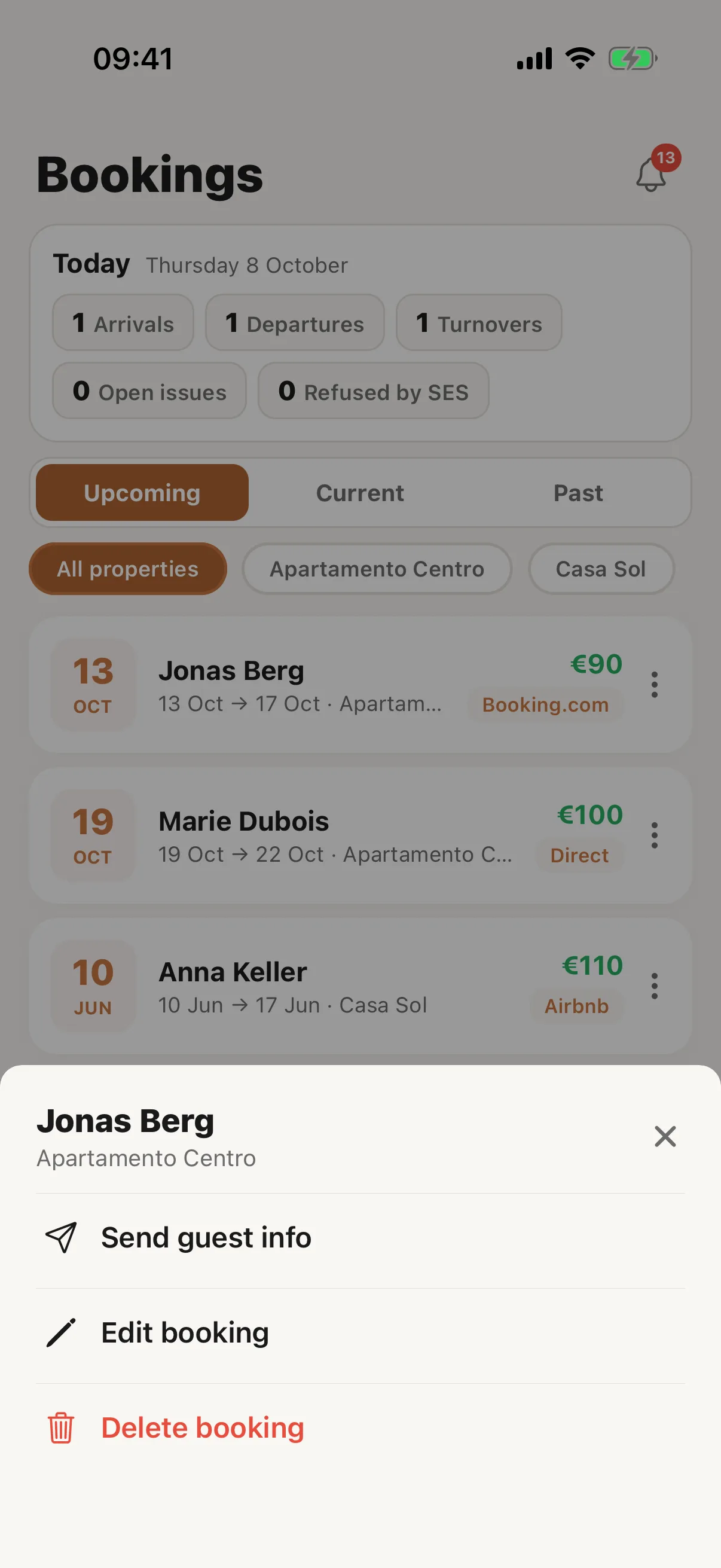
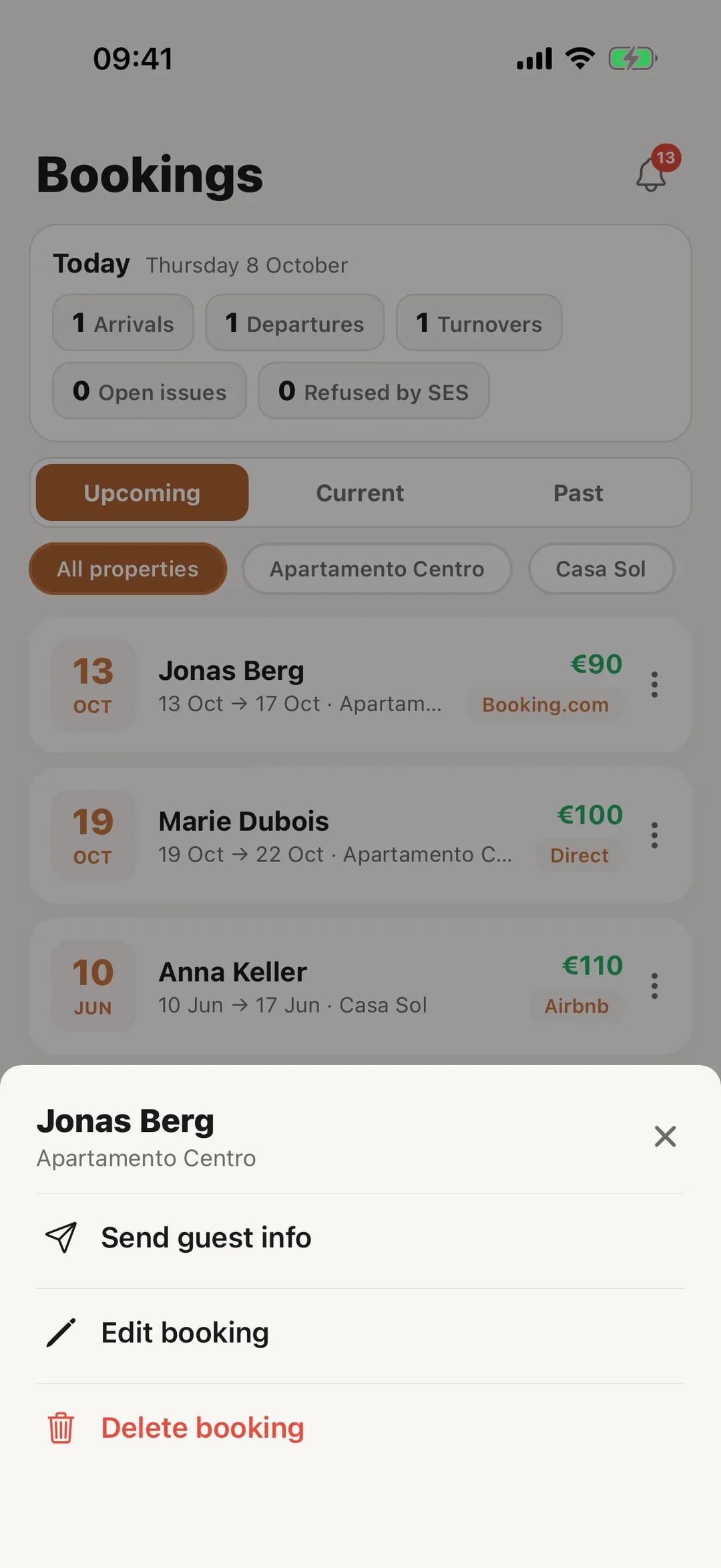
Tap ⋮ on a booking for Send guest info, Edit booking and Delete booking. Pressing and holding the booking opens the same list. Send guest info opens your phone’s share sheet with a message and the link to the property’s guest page, ready for WhatsApp, Mail or any other app: In the app.
 Enlarge screenshot