What Casitana prepares
Step 1
Open Modelo 210
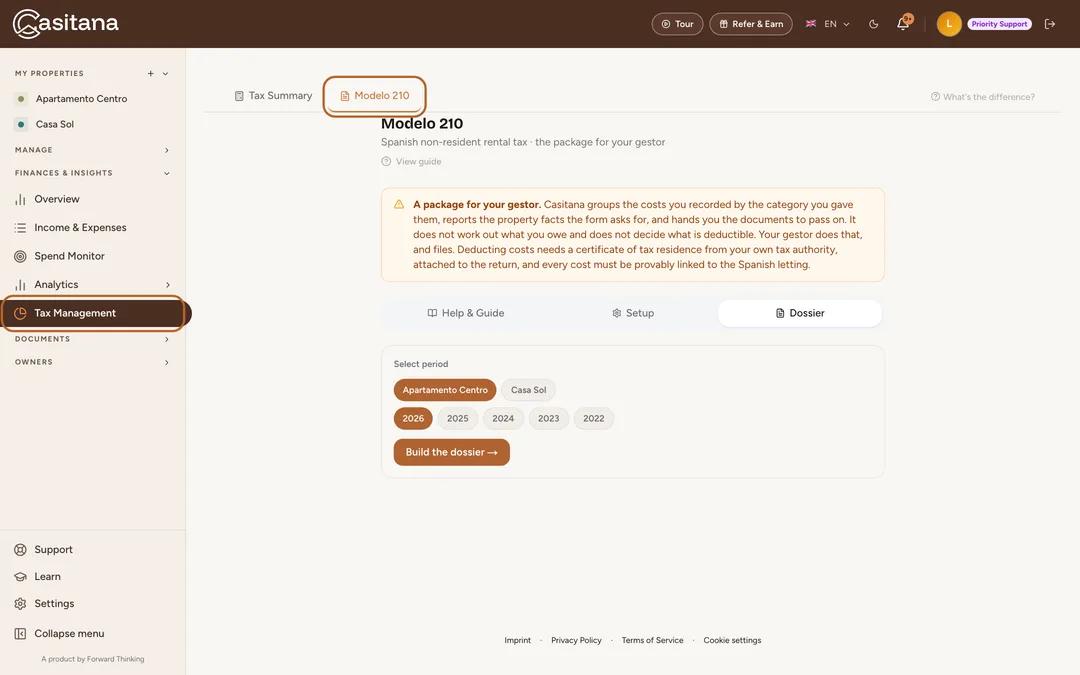
In the menu on the left, click Tax Management, then the Modelo 210 tab. It has three parts: Help & Guide, Setup and Dossier.
 Enlarge screenshot
Tip: Help & Guide explains the whole process, step by step, in the app.
Set it up once
The facts about you and the property do not change from year to year. Enter them once; each year’s dossier uses them.
Step 2
Your tax profile
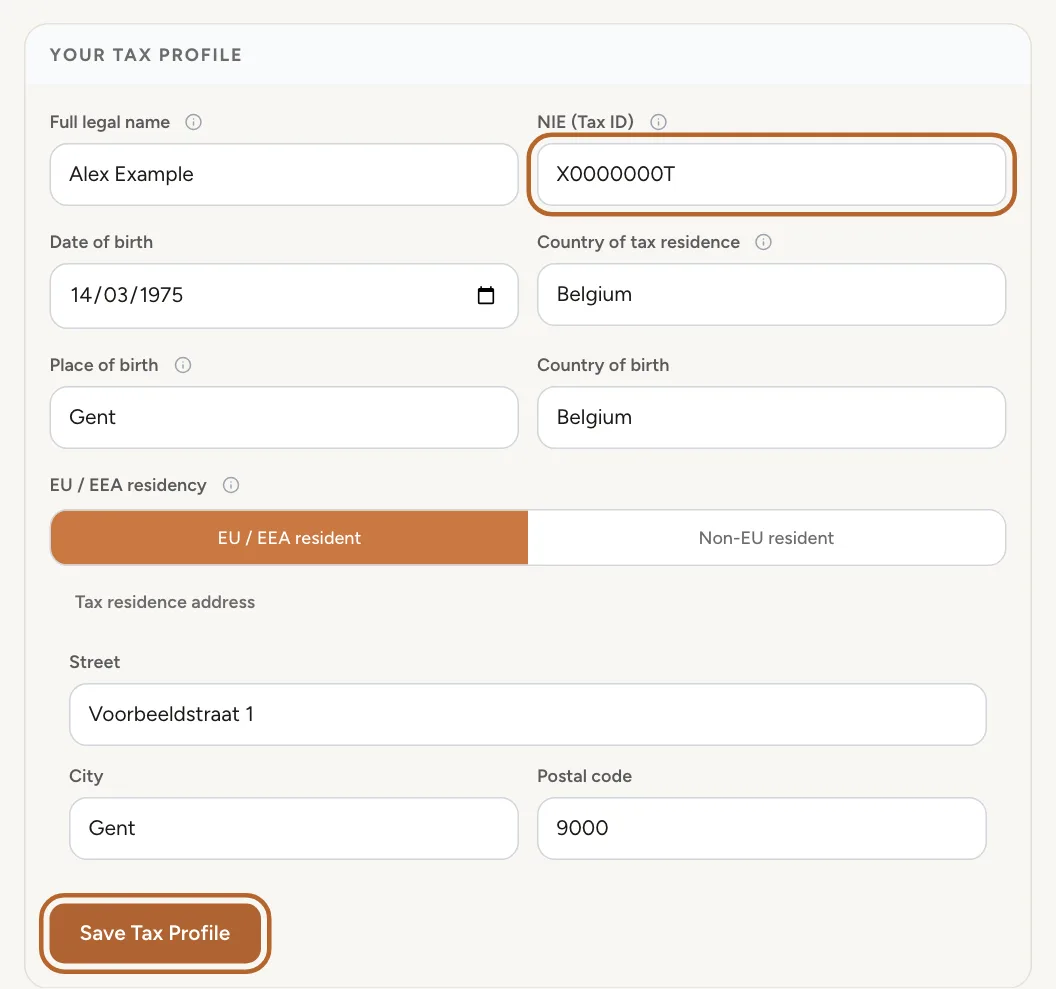
Under Setup, fill in Your Tax Profile: your full legal name, your NIE (Tax ID), your date and place of birth, and the country where you are resident for tax. Click Save Tax Profile.
 Enlarge screenshot
Step 3
The property facts
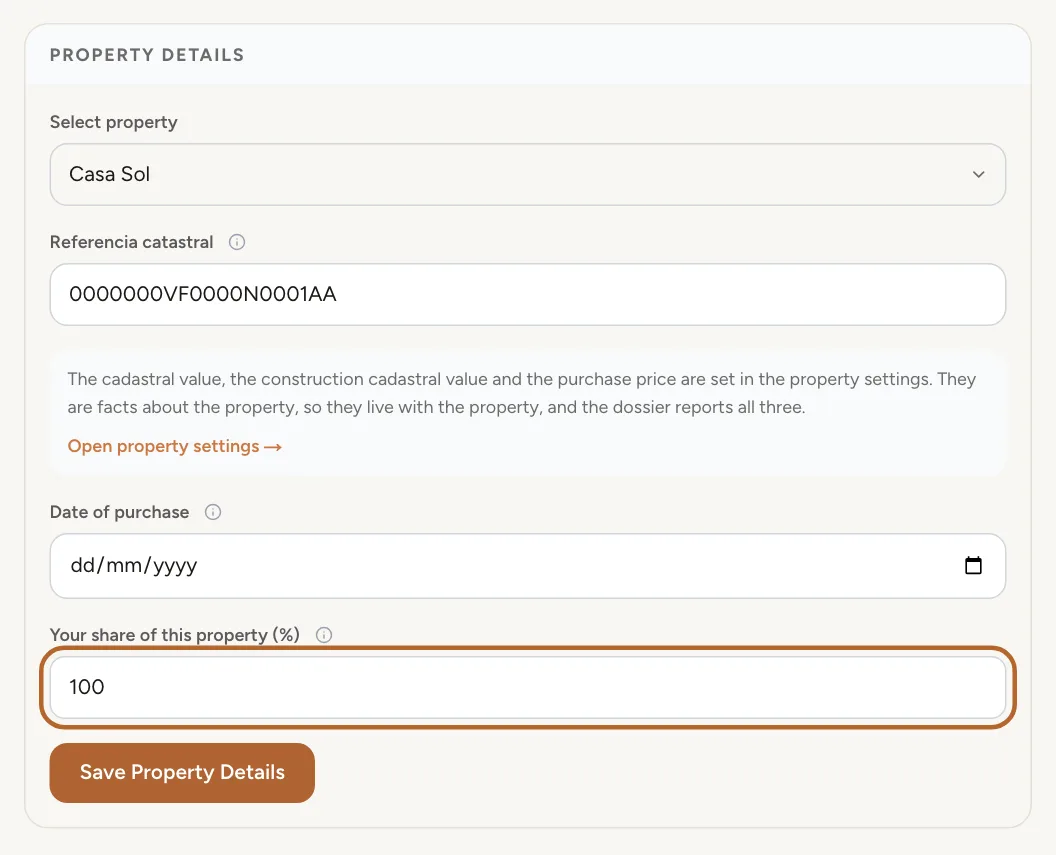
Under Property Details, choose the property and enter its cadastral reference, the date you bought it and Your share of this property (%). Click Save Property Details. The cadastral values and the purchase price are in the property’s own settings.
 Enlarge screenshot
Tip: You find the cadastral reference and values on your IBI bill, and the purchase date and price in your deed.
Step 4
The certificate of tax residence
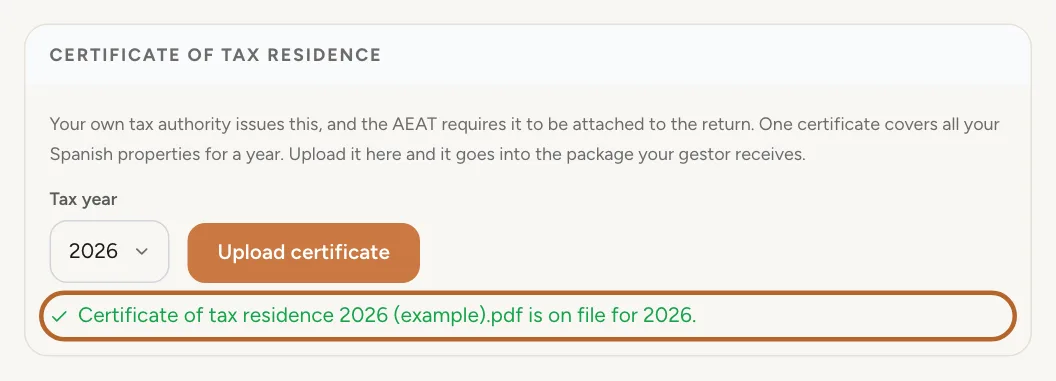
Under Certificate of tax residence, choose the Tax year and click Upload certificate. Your own country’s tax authority issues it, and one certificate covers all your Spanish properties for the year.
 Enlarge screenshot
The dossier for a year
The dossier is built from what you recorded: your income and expenses, and your confirmed bookings.
Step 5
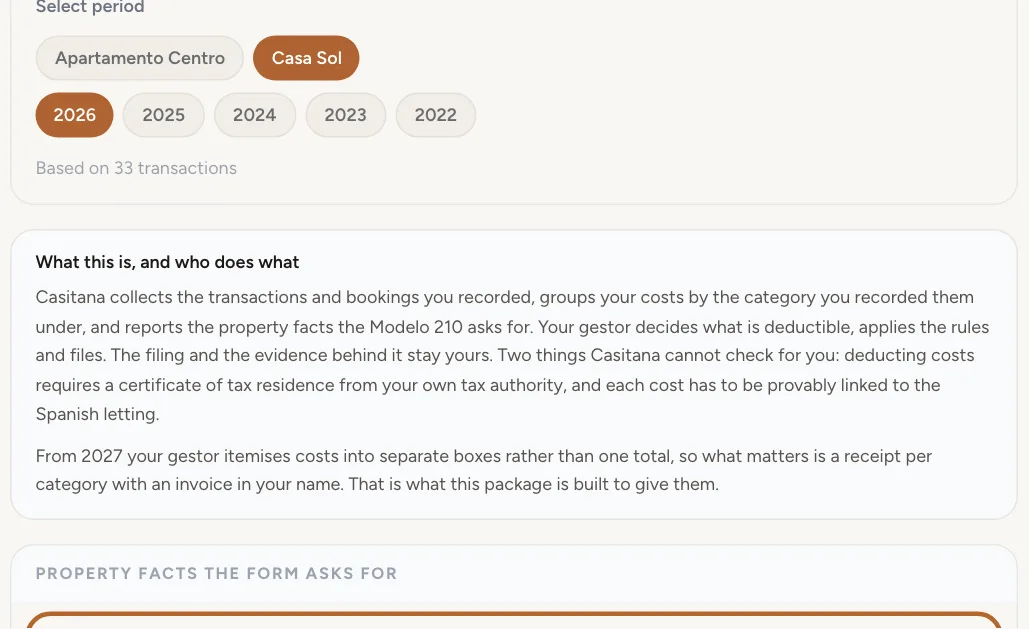
Choose the property and the year
Open Dossier and choose the property and the year. Property facts the form asks for come first, with Nights let (Nº de días): the nights of your confirmed bookings in that year.
 Enlarge screenshot
Tip: The year in progress can be chosen too, to see where you stand.
Step 6
Income and costs
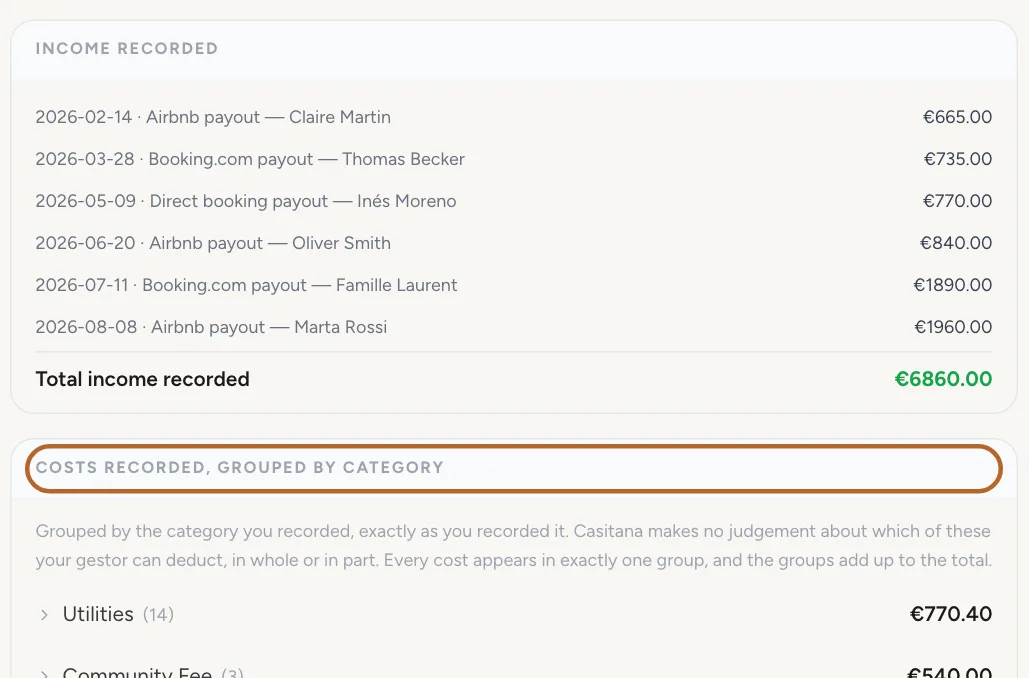
Income recorded and Costs recorded, grouped by category list what you recorded for the property in that year. Click a category to see its lines, and which have a receipt. Anything you marked Exclude from tax report is left out.
 Enlarge screenshot
Step 7
Mortgage interest
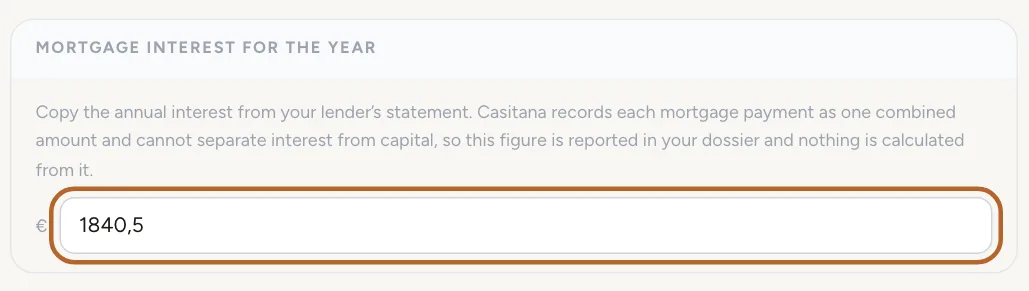
Under Mortgage interest for the year, enter the interest you paid that year, from your bank’s annual statement. It is saved as soon as you leave the field. Leave it empty if you have no mortgage.
 Enlarge screenshot
Step 8
What is still missing
Not in this package lists anything the dossier could not fill in, so you can add it or tell your gestor. A gap never stops you from downloading the package.
 Enlarge screenshot
Co-owned propertiesIncluded in the Pro plan
For Pro accounts that record property owners.
Step 9
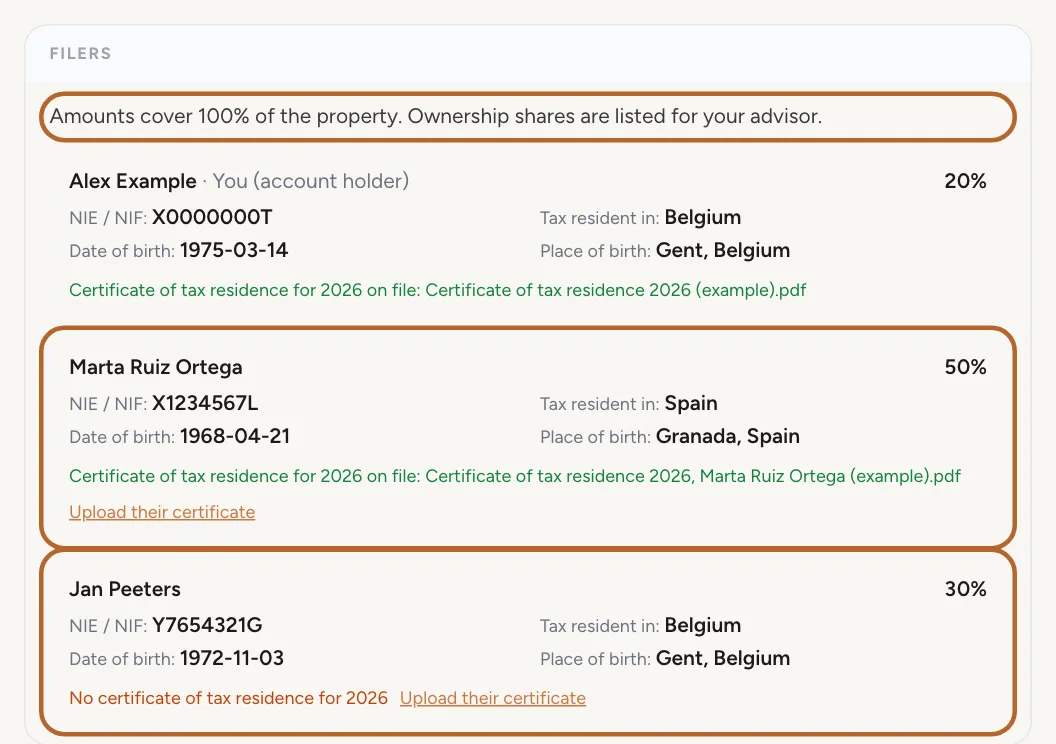
Every filer is listed
When a property has property owners, the dossier lists each of them with their share, NIE or NIF, tax residence, address and date and place of birth. You are listed too when you own part of the property yourself. Assign property owners and their shares on the property page: see Property owners.
 Enlarge screenshot
Step 10
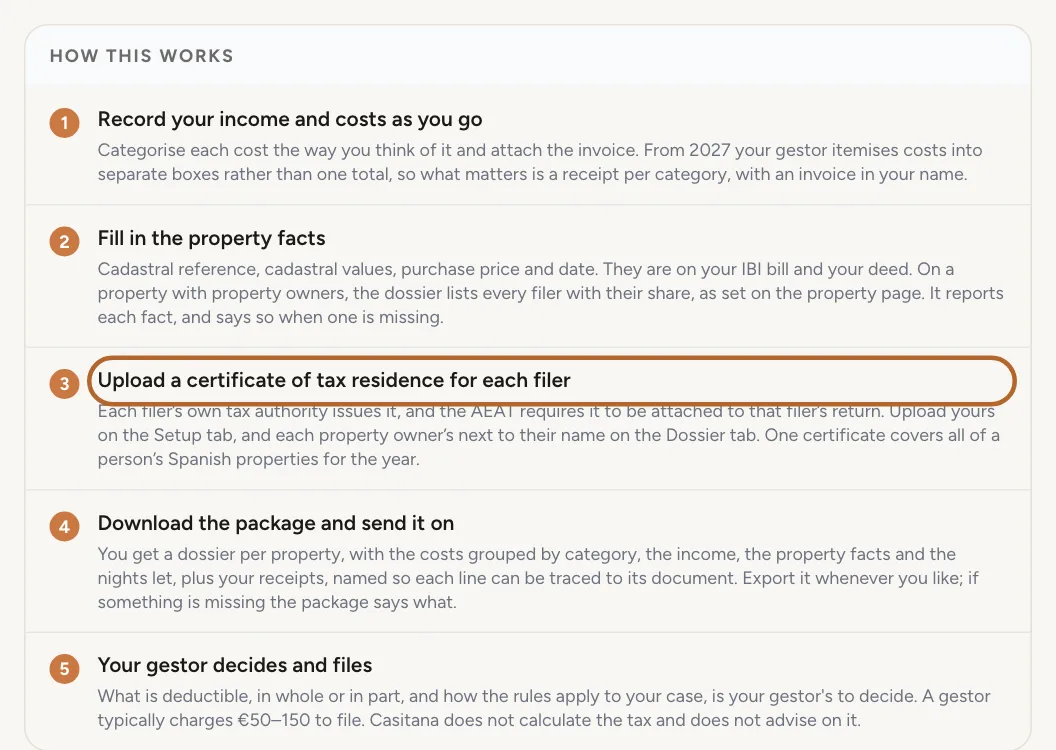
Amounts stay at 100%
Every amount in the dossier covers the whole property. Casitana does not split anything by share: the shares are listed so that your gestor can prepare each co-owner's own Modelo 210.
 Enlarge screenshot
Step 11
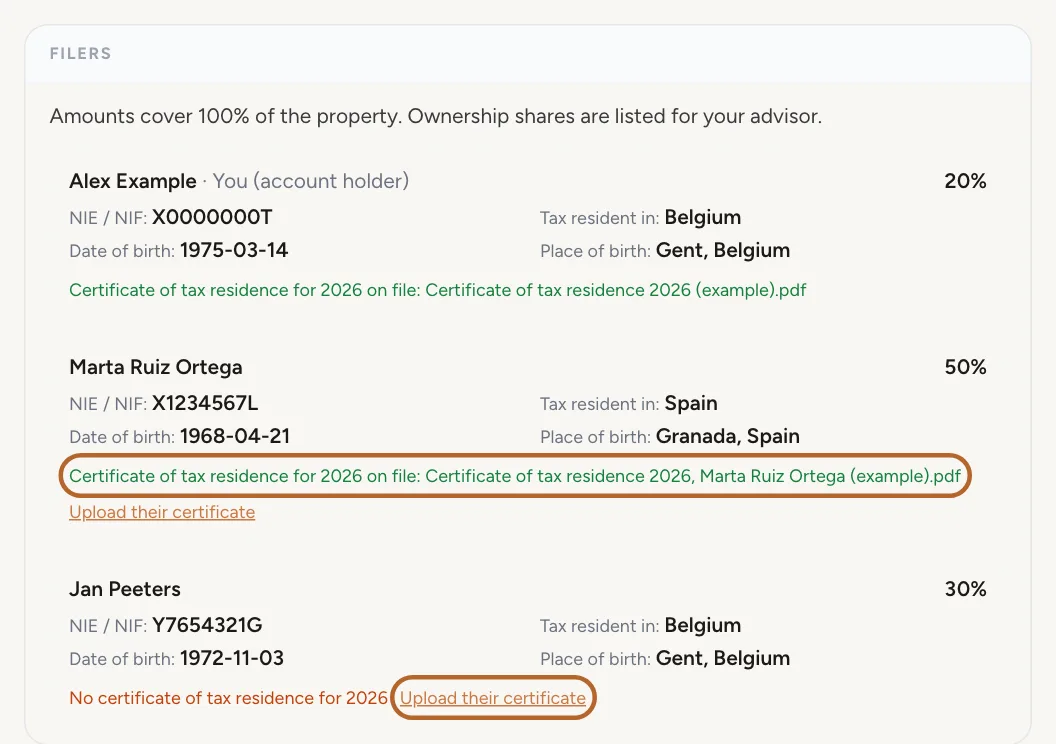
A certificate for each filer
Each filer needs their own certificate of tax residence. On the dossier, upload a property owner's certificate next to their name; yours stays on the Setup tab. A filer without one is named under what is missing, and the package includes every certificate that is on file.
 Enlarge screenshot
Good to know: A property owner's IBAN is never part of the dossier or the package.
Send it to your gestor
Step 12
Download the package
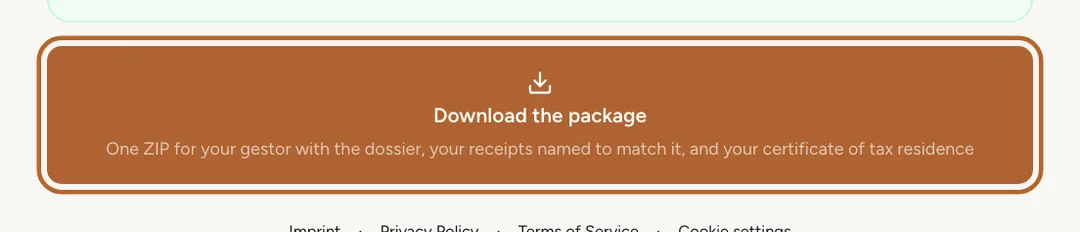
Click Download the package. You get one ZIP file with the dossier as a PDF, your receipts, your certificate of tax residence and a short read-me. Send it to your gestor as it is.
 Enlarge screenshot
Good to know: What is deductible, and how the rules apply to you, is for your gestor to decide. Casitana does not calculate the tax.