Register for your stay
Spanish law (Royal Decree 933/2021) requires every guest staying in a holiday rental to be registered with the authorities. Your host sends you a link to a form: it takes a few minutes per guest, and your host takes care of the rest.
Step 1
Open the link
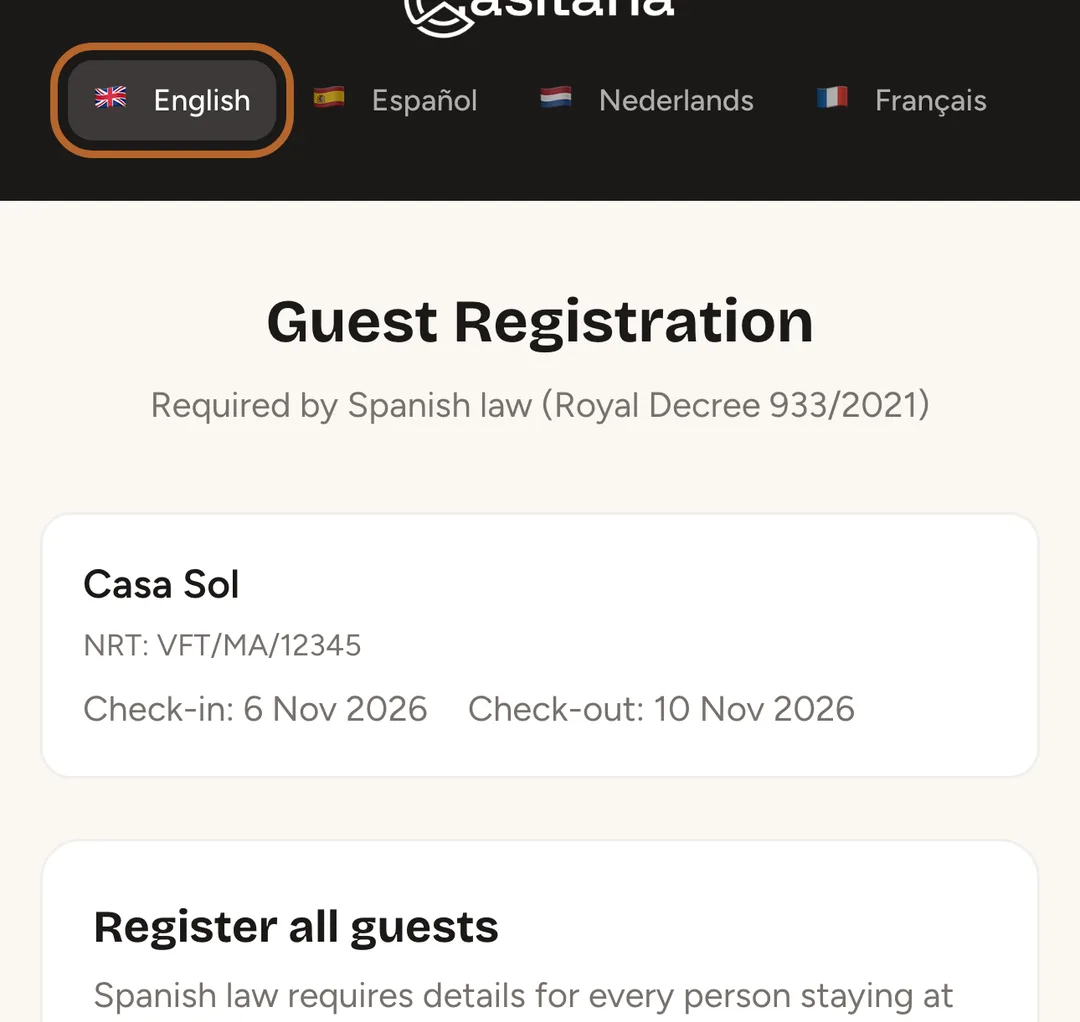
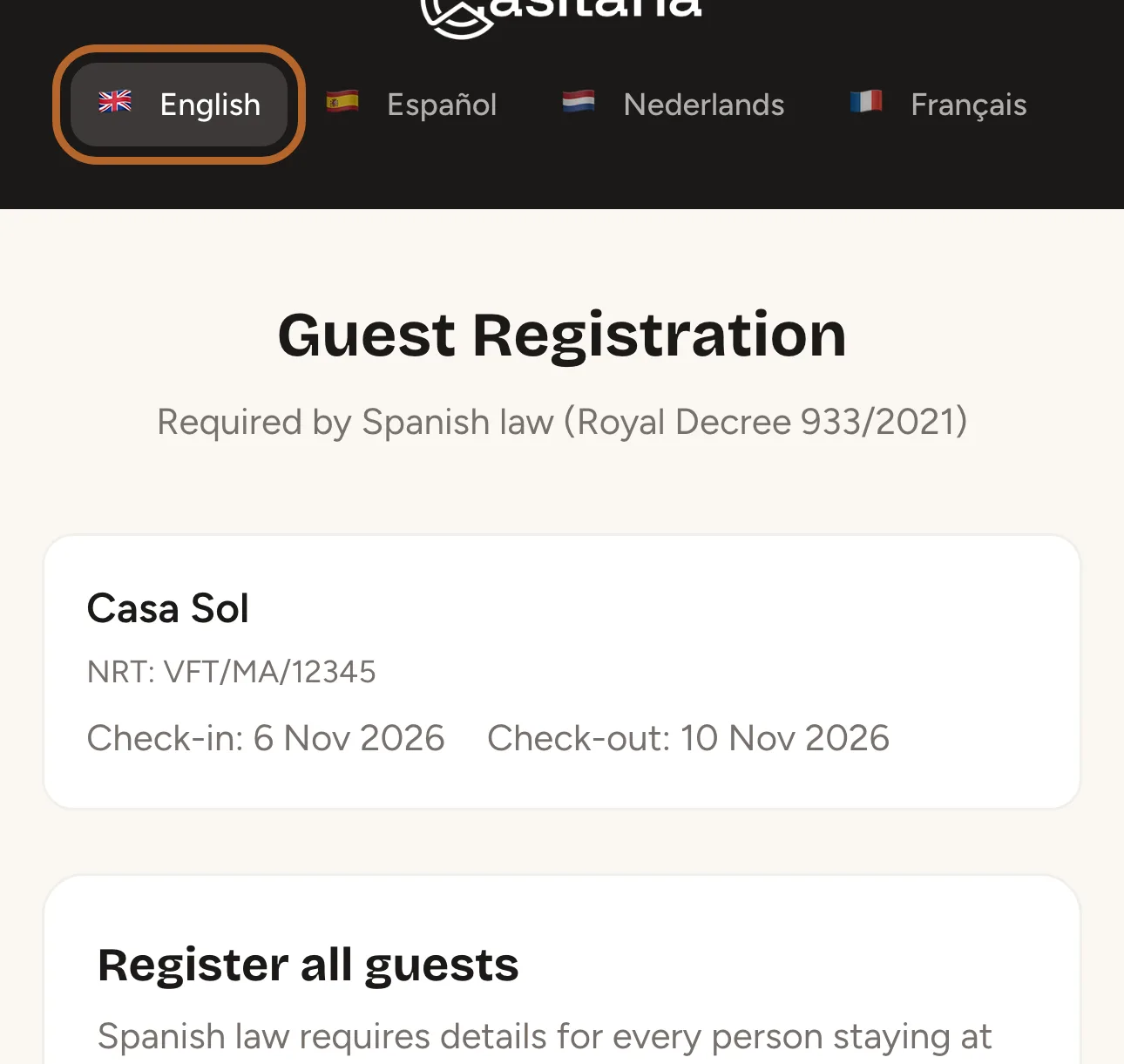
The page Guest Registration shows the property and your dates. Choose your language at the top of the page.
 Enlarge screenshot
Step 2
Fill in the main guest
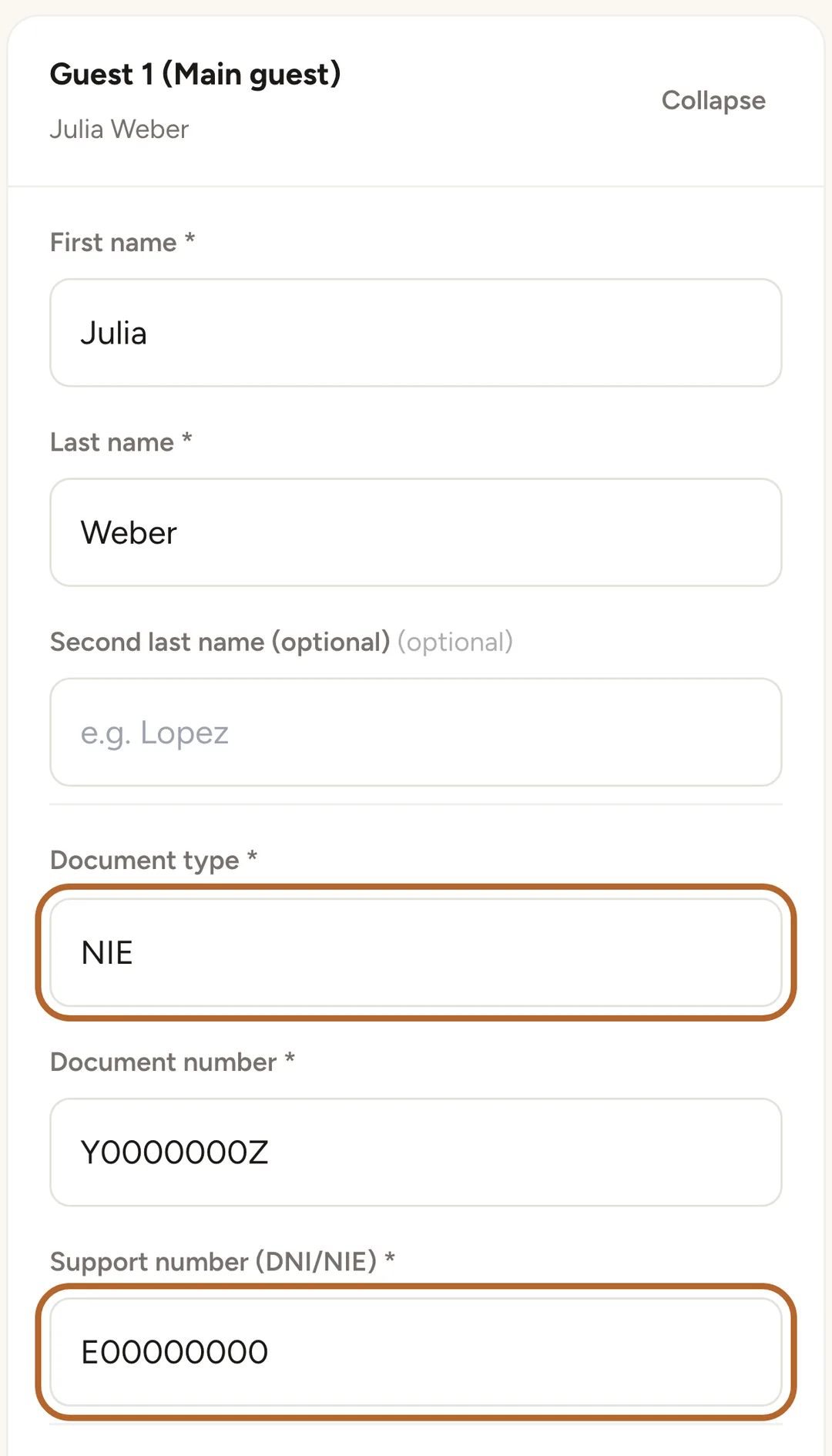
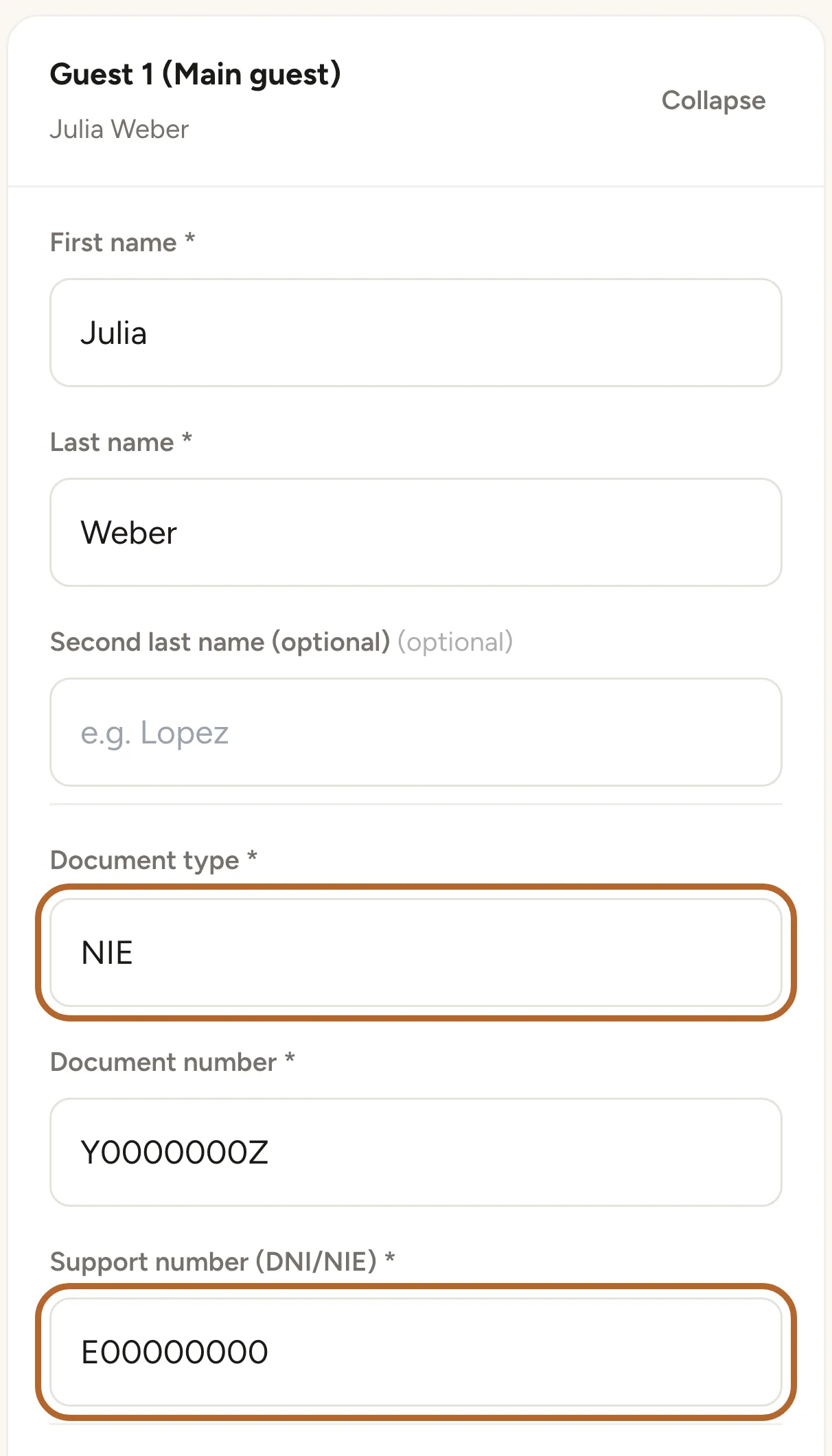
The first card, Guest 1 (Main guest), is for the main guest. Enter the name, choose the Document type and type the Document number exactly as it is on the document. For a Spanish DNI or NIE, the form also asks for the Support number (DNI/NIE), which is printed on the card.
 Enlarge screenshot
Tip: The main guest also needs a phone number or an email address. For the other guests they are optional.
Step 3
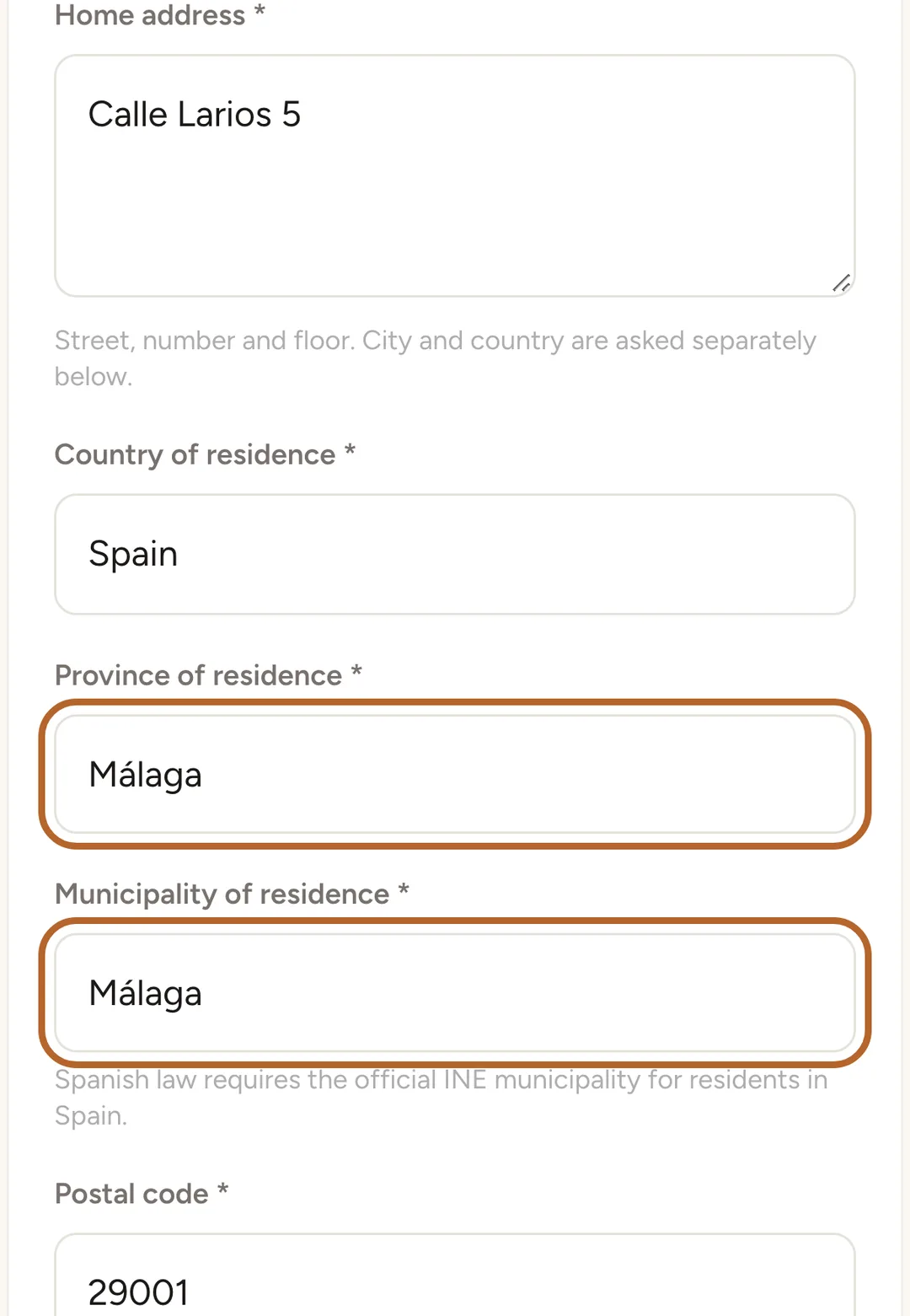
Enter your address
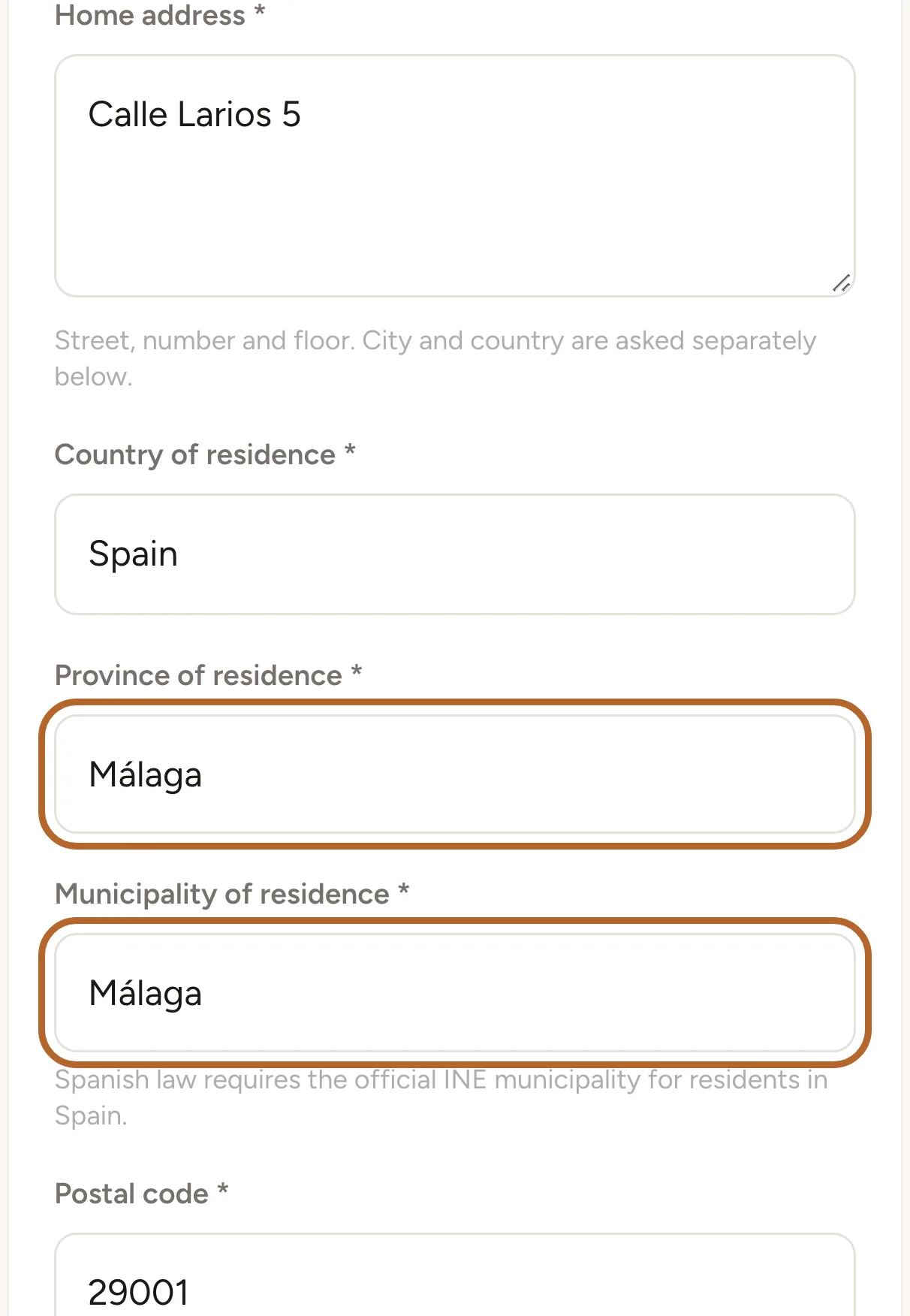
Fill in your Home address and Country of residence. If you live in Spain, choose the Province of residence first, then your Municipality of residence from the list.
 Enlarge screenshot
Step 4
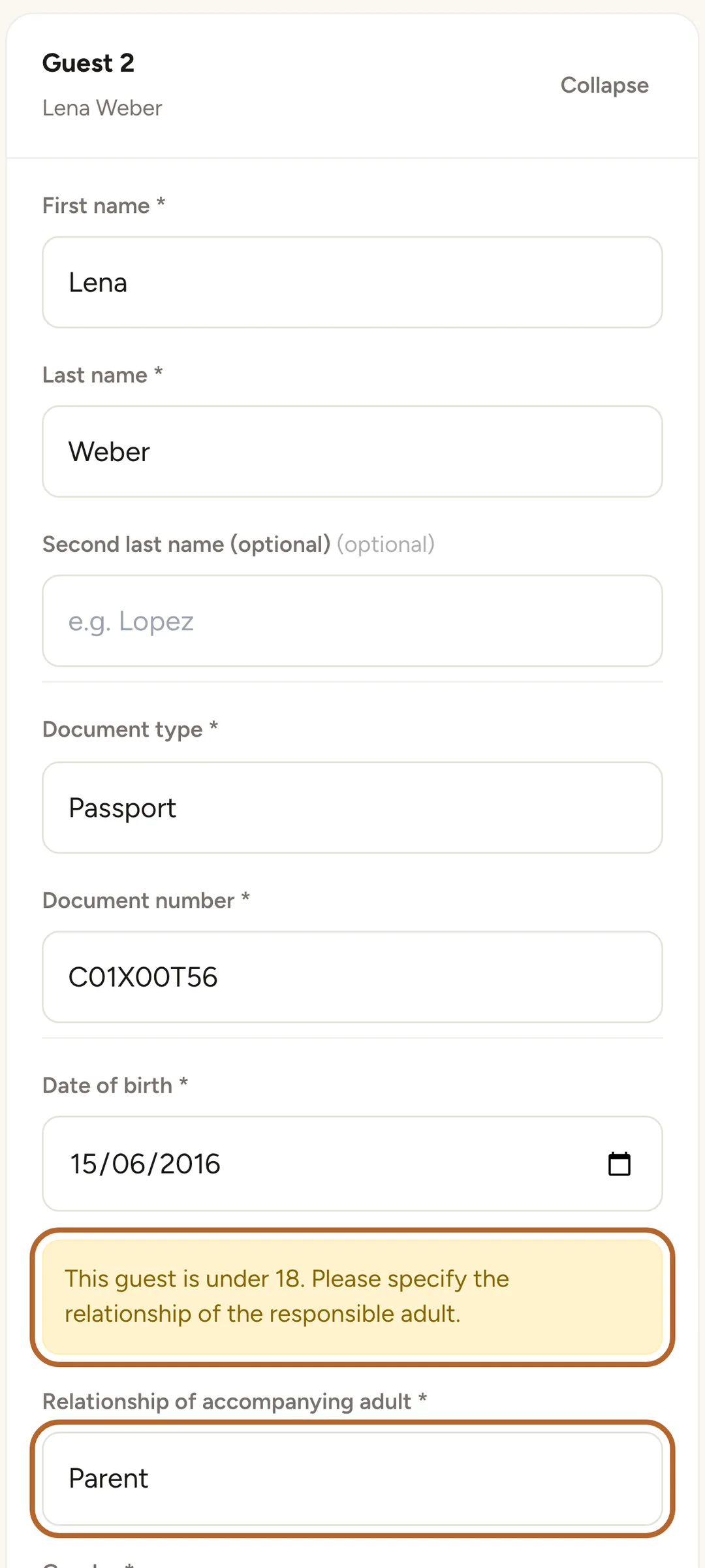
Add every guest
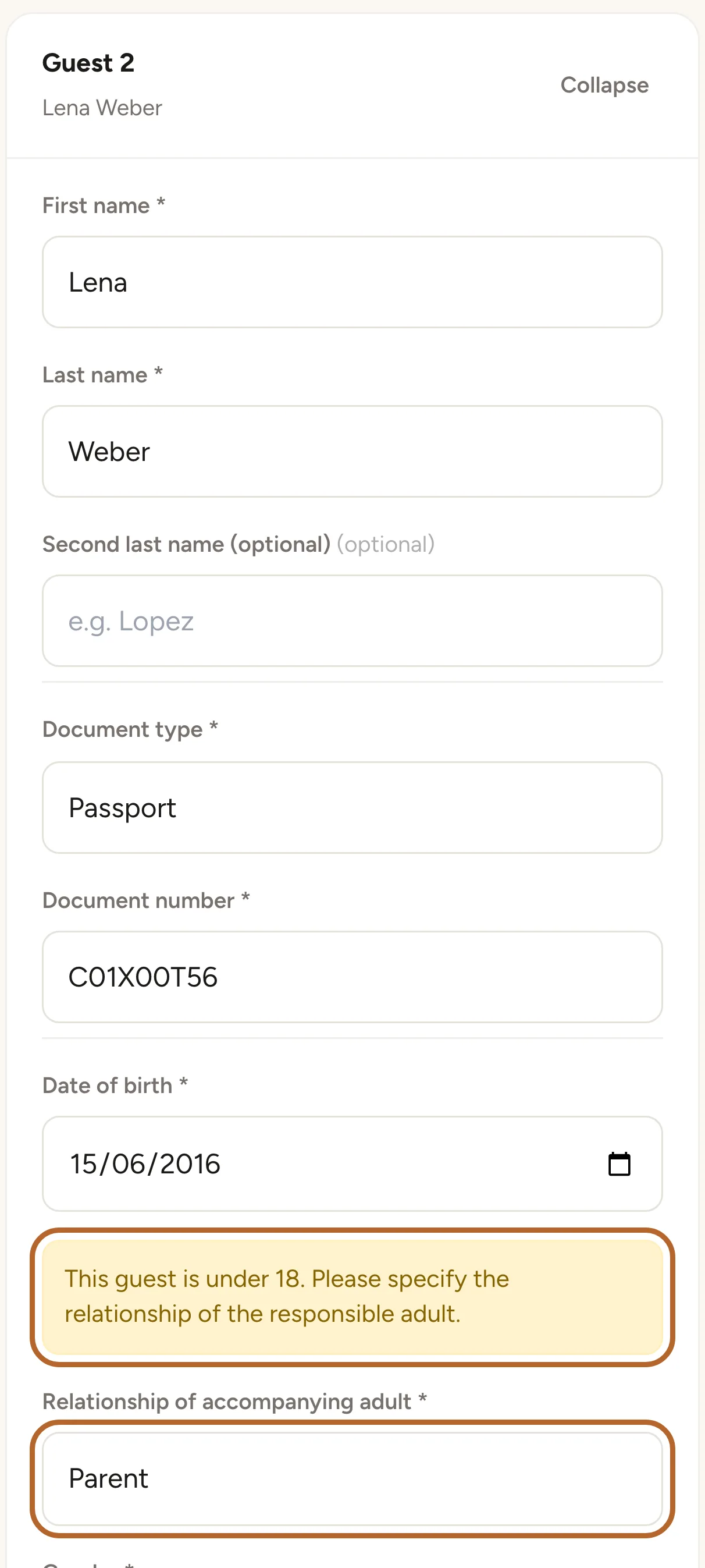
Click ✓ Save guest and add another to save a guest and open a card for the next one. For a guest under 18, the form asks for the Relationship of accompanying adult, for example Parent.
 Enlarge screenshot
Step 5
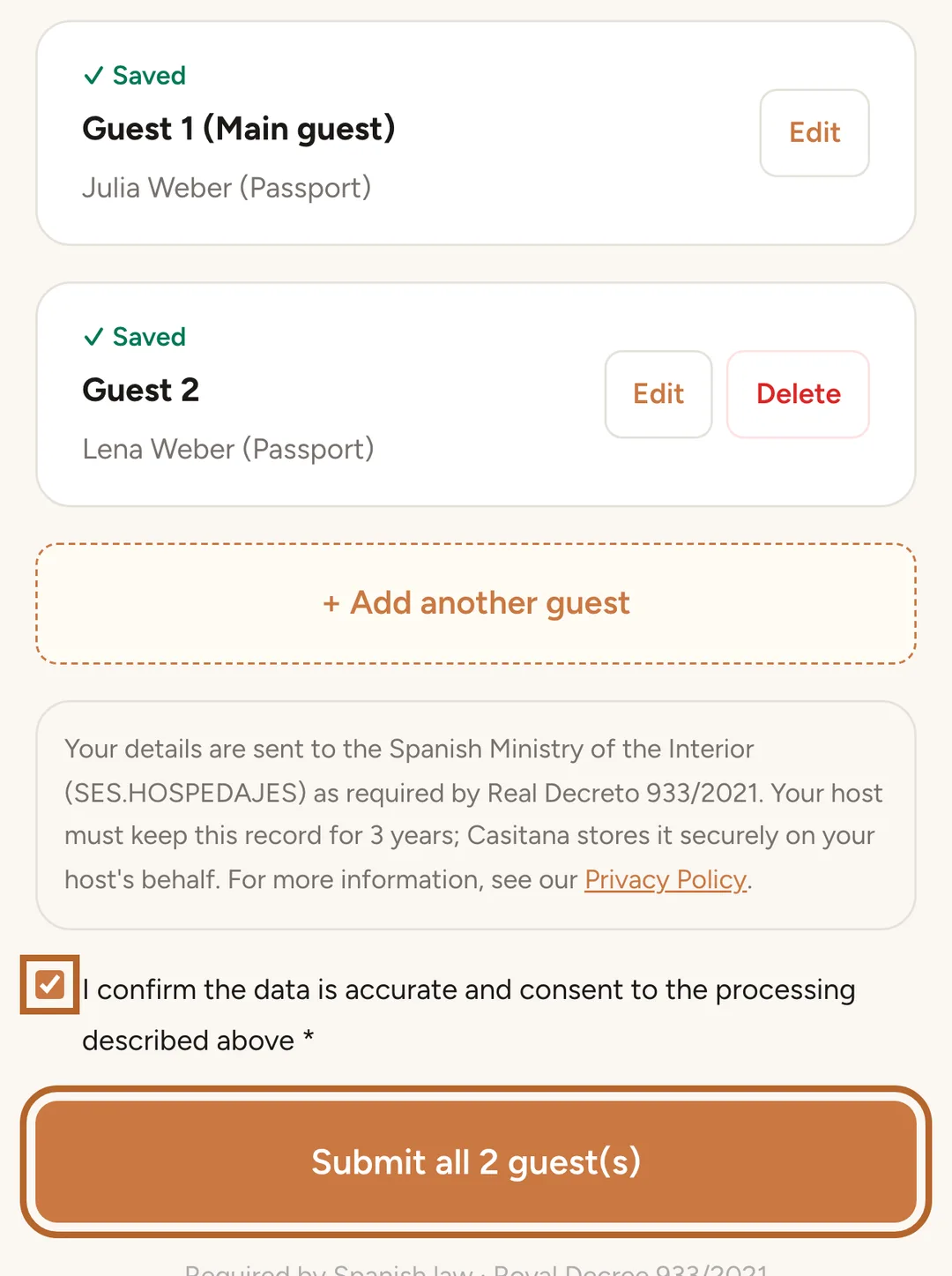
Send the registration
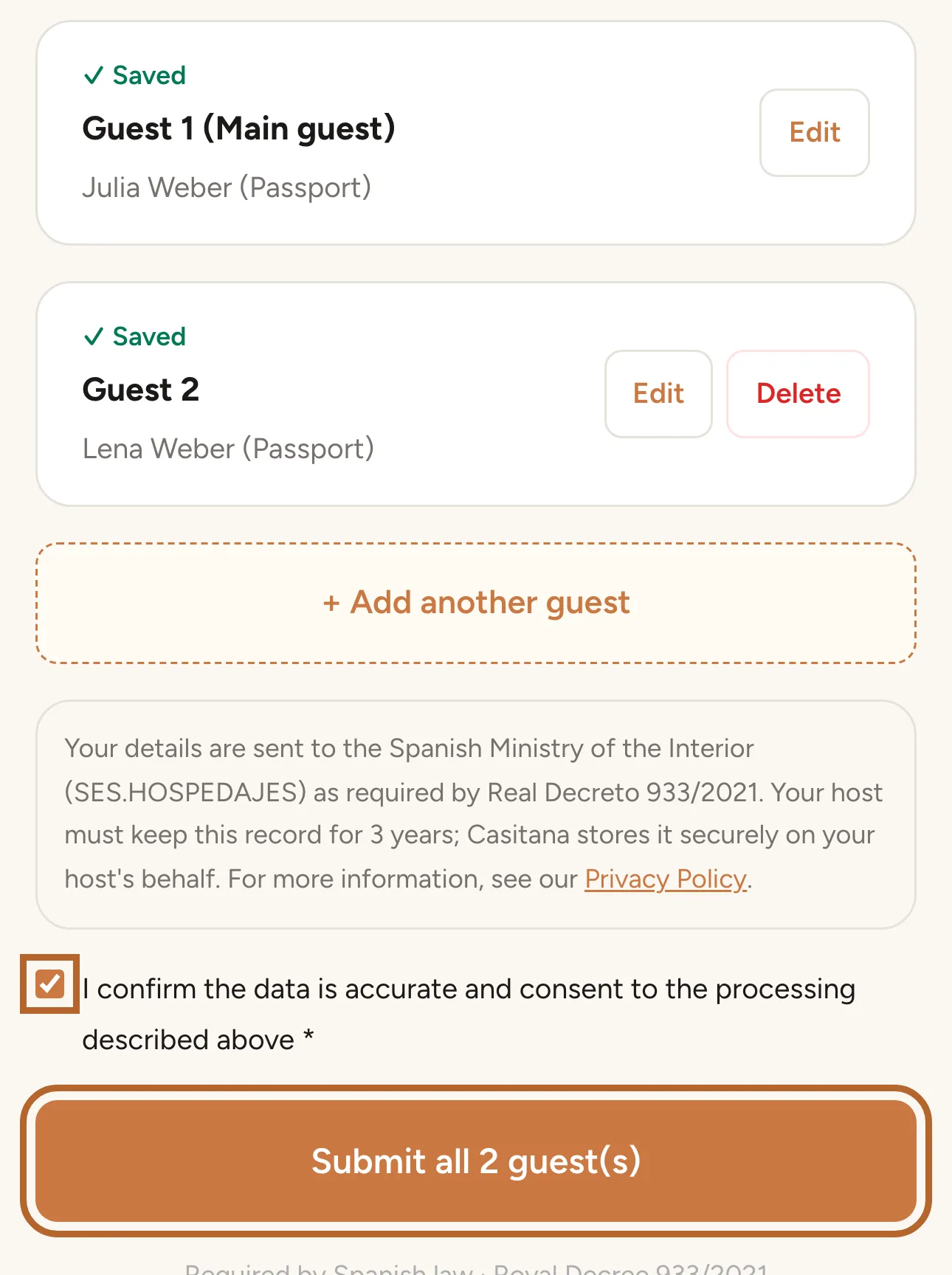
When every guest shows Saved, tick the box to confirm the details, and click Submit all 2 guest(s).
 Enlarge screenshot
Step 6
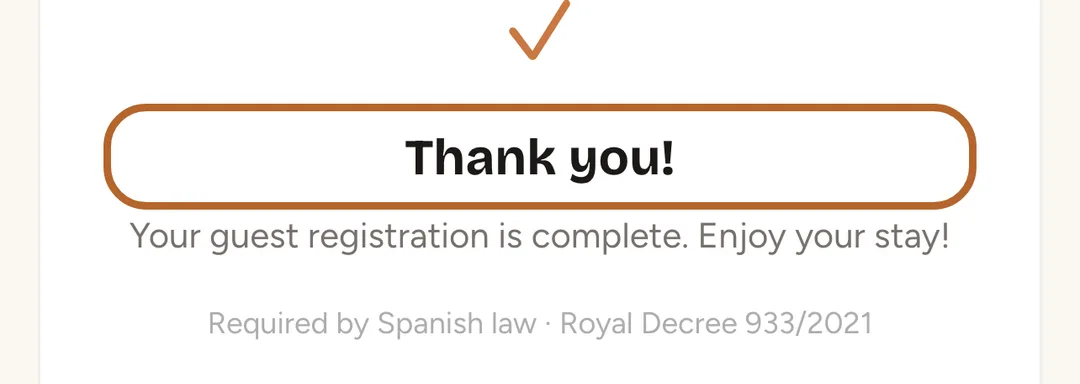
You’re done
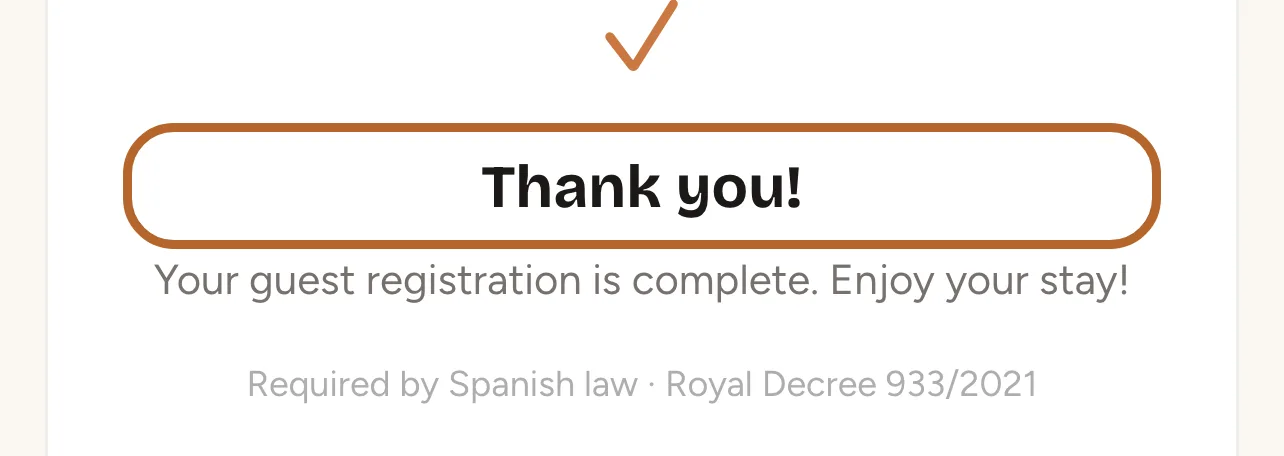
The page says Thank you!. If you open the link again later, it shows Already completed.
 Enlarge screenshot
Good to know: Made a mistake? Contact your host: they can correct the details.
Police form for a stay in France
For a stay in France, French law asks every guest who is not a French national, including citizens of other EU countries, to fill in and sign a police form on arrival. Your host sends you a link to it.
Step 7
Open the link
The page Police registration form shows your dates. Choose your language at the top of the page.
Step 8
Who is staying
Check the dates and say how many people aged 15 or older are staying, with each person’s nationality. French nationals need no form. Then click Next.
Step 9
One form for each person
Fill in a form for each person who is not French: name, date and place of birth, usual home address, mobile phone and email. Children under 15 can be added under Children under 15 travelling with this person on the form of the adult they travel with.
Step 10
Sign and send
Read the privacy notice, tick I have read the privacy notice. and type your full name to sign. Click Sign and send. Your host keeps the form for six months after your stay and shows it to the police or gendarmerie only if they ask for it.
Sign your rental contract
Some hosts ask you to sign a rental contract online. The link arrives by email.
Step 11
Read the contract and sign it
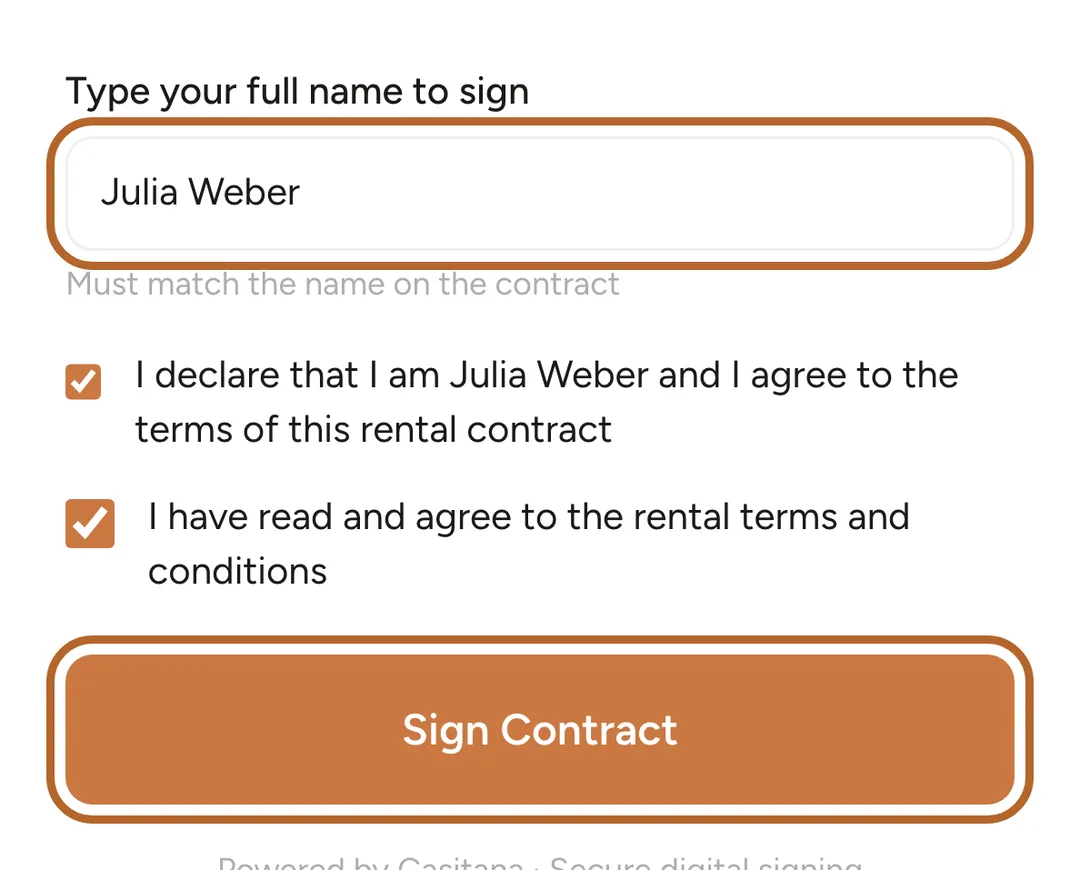
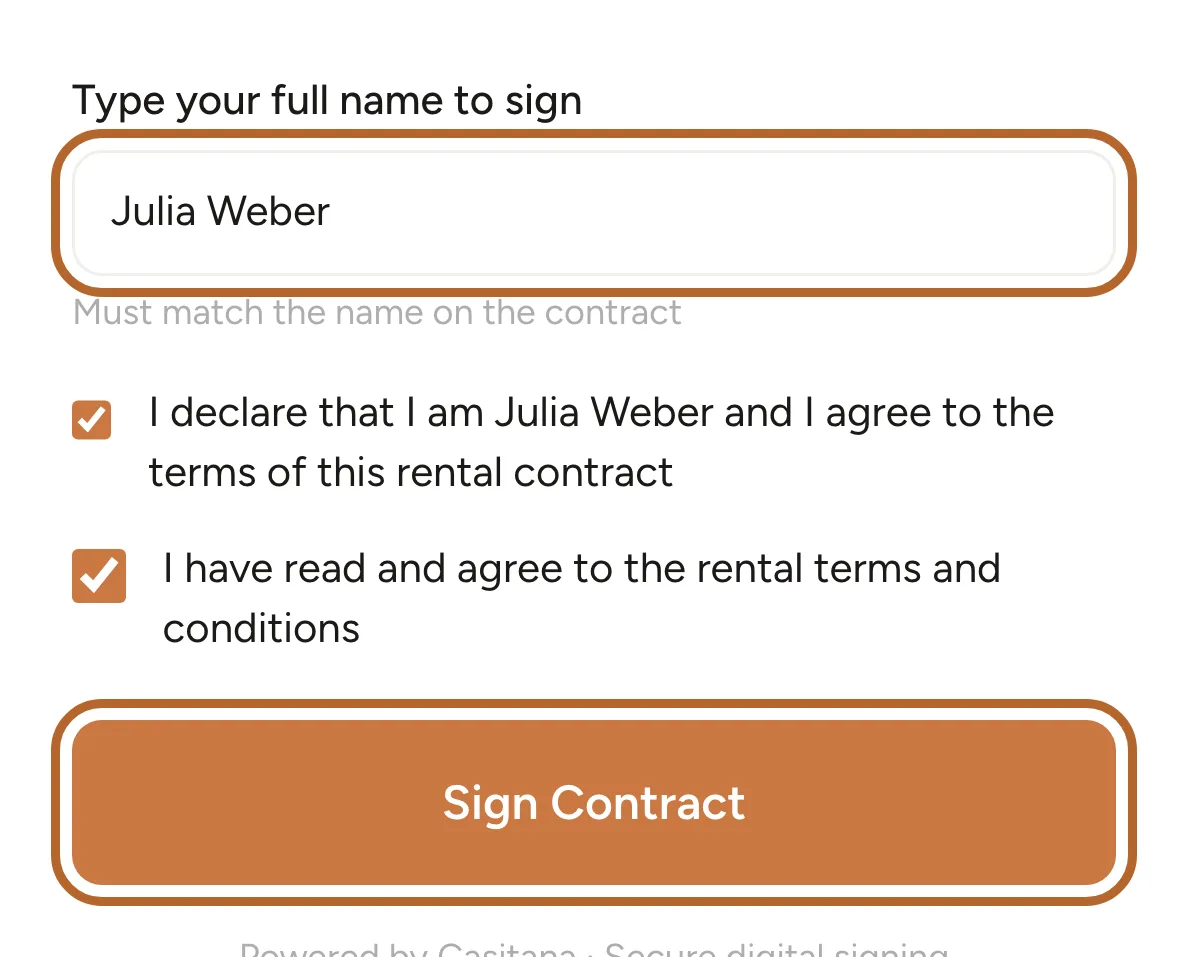
The page Sign Your Rental Contract shows the whole contract. Under Type your full name to sign, type your name as it appears on the contract, tick both boxes and click Sign Contract.
 Enlarge screenshot
Tip: Your name must match the one on the contract, but accents and capital letters don’t matter.
Step 12
Signed
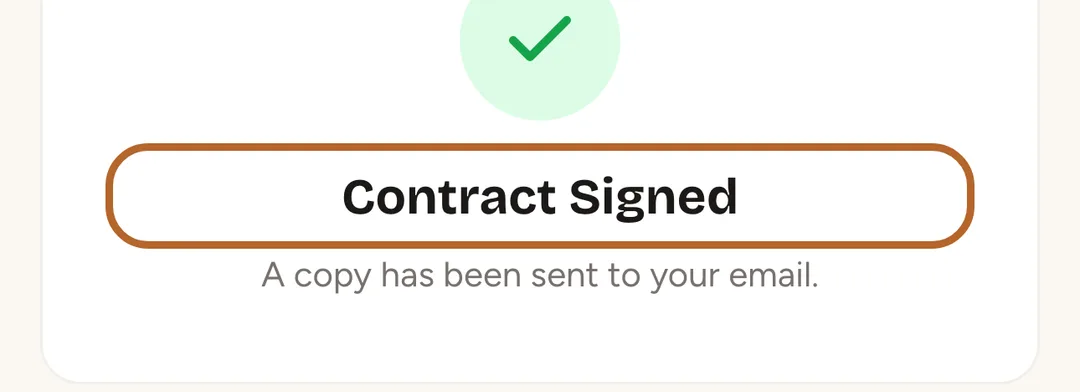
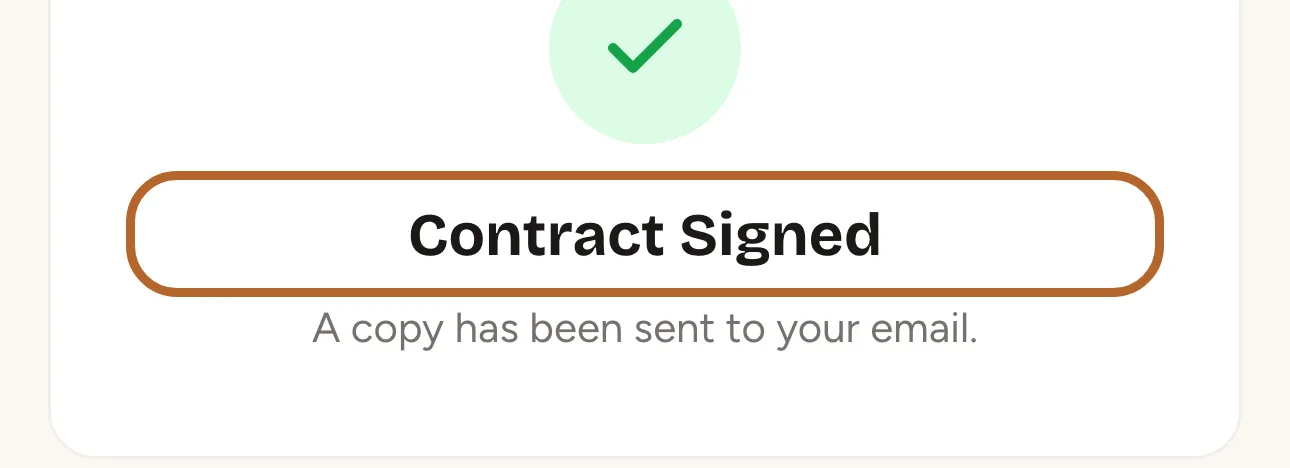
The page confirms Contract Signed, and your host is told straight away. If you open the link again, it says Already signed.
 Enlarge screenshot
Use the guest page
Your host’s guest page has the practical information for your stay: arrival and departure times, the wifi, how to get in, the house rules and who to call.
Step 13
Open the guest page
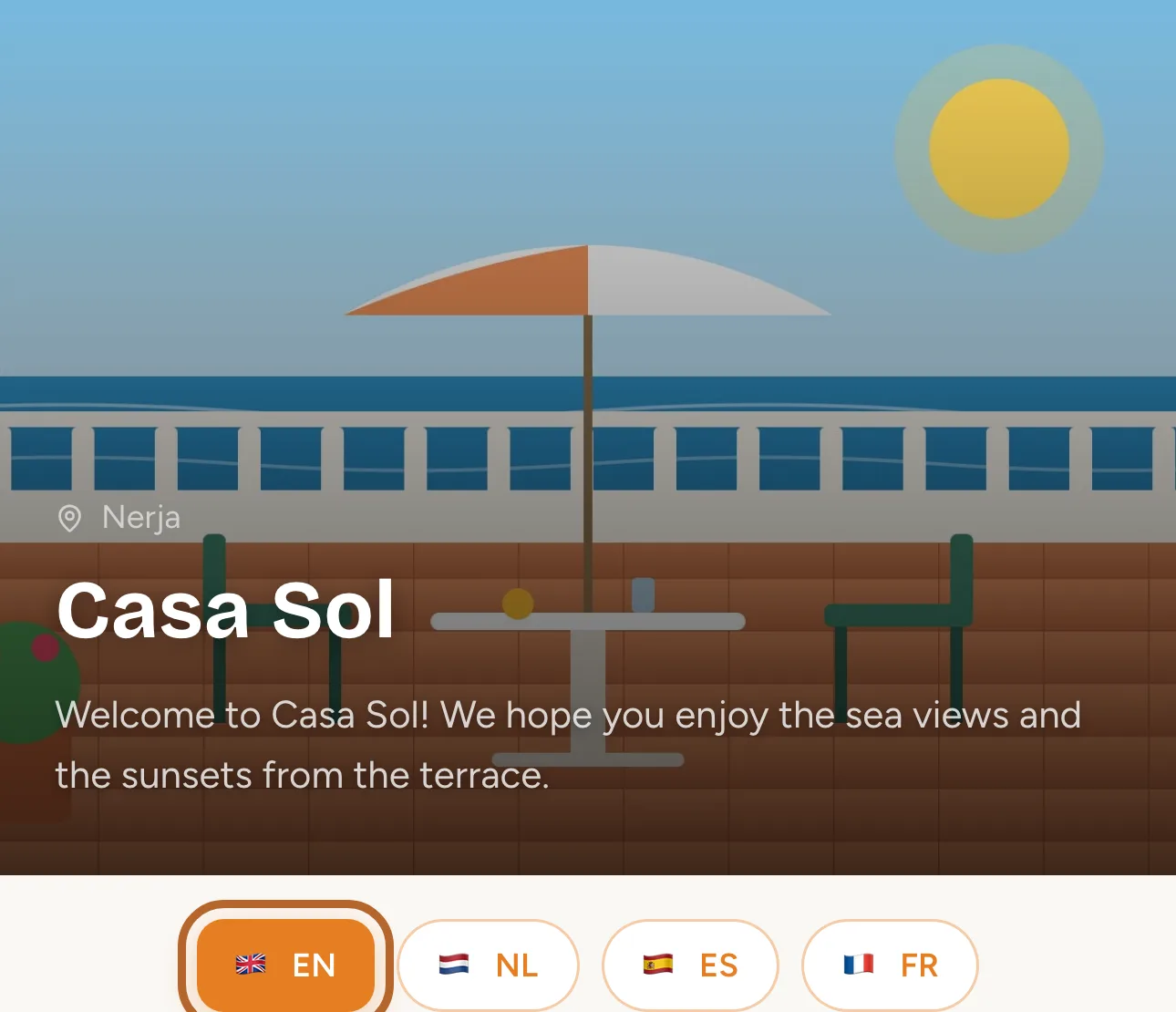
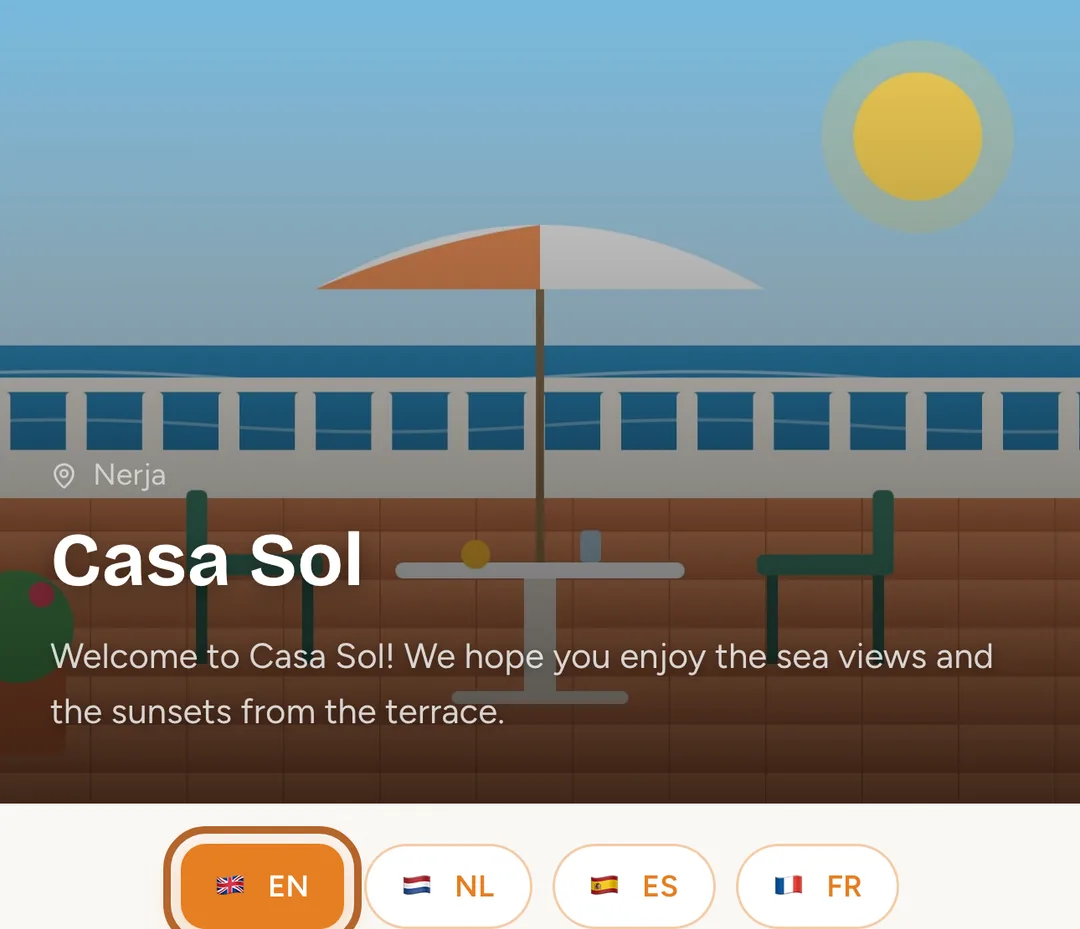
Open the link, or scan the QR code your host gave you. Choose your language just below the property’s name, at the top of the page.
 Enlarge screenshot
Step 14
Wifi and getting in
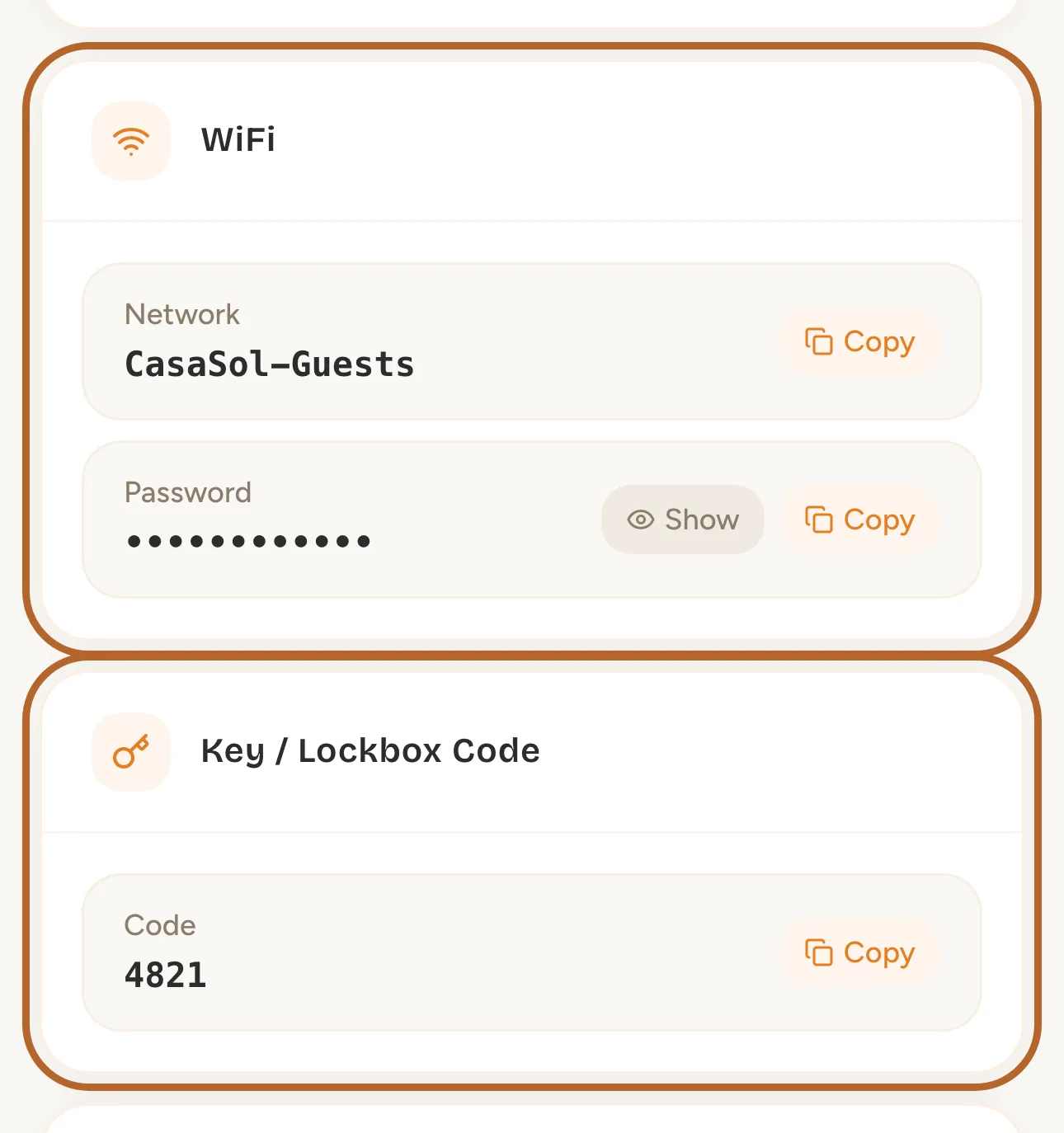
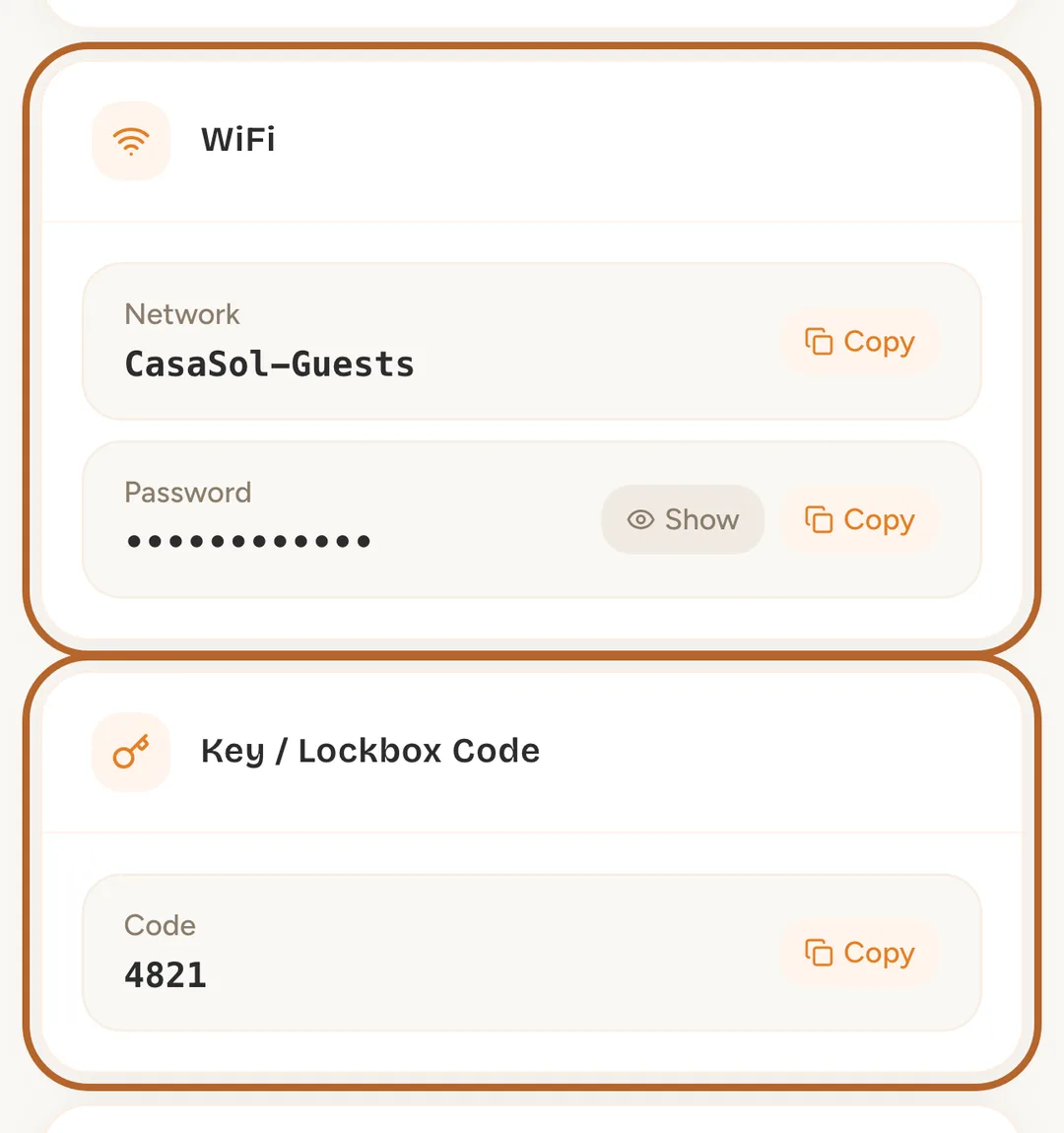
Under WiFi you can copy the network name and the password. Check-in & Check-out has your arrival and departure times, and Key / Lockbox Code tells you how to get in.
 Enlarge screenshot
Step 15
House rules and help
Further down you find the House Rules, what to do when you leave, and the Emergency Contacts.